Hi HN - Jon Skinner here, I made Sublime Text and Sublime Merge, alongside the rest of the Sublime HQ programming team - Will, Dylan and Benjamin. Let me know if you have any questions!
Allo, looking forward to trying it. One question for you, could you compare it to other standalone git merge options? What don't the competitors do that you do?
But PS, you have a broken link on the /download page
Sublime Merge is a Git client, and I'd list the main advantages over the alternatives as performance, and UI polish in general.
For example, when you stage a file in Sublime Merge, we internally predict the resulting change to the repository, so the changes are reflected in the UI immediately, while the operation is actually happening asynchronously. In contrast, other Git clients can take seconds before being able to stage a second file.
Thanks for the kind words! There's some basic integration now, and we'll be adding more in the future.
Right now, Sublime Merge will pickup installed Sublime Text packages (e.g., for syntax highlighting), and will also find Sublime Text when you choose Open in Editor from within Merge (this can be customised to something else though, of course).
It would be cool to have some integration going the other way. In particular I would love:
1. If Sublime Text could detect when a directory is a git root directory, and present a button to "open in sublime merge" (my sublime projects often span multiple git repos, so detection on a folder by folder basis would be key). The ability to configure this to use another git client would make sense, although personally Sublime Merge looks fantastic. 2. A create commit action accessible from the Command-Shift-P dialog. I imagine Sublime Merge launches pretty quickly, so this would be pretty nice as I wouldn't have to keep it open: I could just let Sublime Text manage my "workspace". I currently commit using the terminal (+ Micro Editor), but this could be even better. Note: I notice that there is no "Stage All" button. That would be useful... Aside: IMO managing workspaces/projects is a weakness of Sublime Text atm. I have tendency to move directories around which makes managing projects a bit awkward. I've resorted to opening sublime from the terminal with `cd /path/to/project/; subl .`. Not sure I have any specific suggestions for improvements, but that welcome screen in Sublime Merge sure looks nice... 2. Merge tool integration for file merging/diffing (e.g. if two files are selected in the sidebar, you could right-click > diff files, and perhaps an action on an open file could be "diff file with..."). There are plugins for Sublime Text that try to do this with two text panes, but they don't work especially well. IMO there aren't very many good diff tools, so a lightweight one that works cross-platform could be a good market to target. Thank you for Sublime Text. I've used it almost every day for work for the last 5 years and it's definitely made my life much easier!
Thanks, the fact that they can share packages (and eventually maybe themes) sounds great.
If it's possible, I'd also like some auto-sync mode (e.g. when a folder with a git repo is opened/active in sublime text, have sublime merge automatically switch to that). Eventually, perhaps Merge can just be an extra tab (or something similar), inside ST, for people with both licenses.
Jon, it's impressive how you deliver incredibly performant cross-platform UIs. You really should consider talking about your development and custom widget toolkit.
I've never experienced a non-performant cross-platform UI.
Well, to be honest I've heard of folks complaining about Electron apps, but are easy enough to avoid. Oh yeah and Swing was a bit sluggish… in the 90s. What am I missing?
Hi Jon, we currently use Gitkraken, which allows us to manage submodules. I can't seem to find this functionality in sublime merge, do you know if this is something you guys have thought about and if it will be released any time soon?
+1 on this. I use Tower which has really nice submodule support.
In demoing Sublime Merge — if I move branches that use a different submodule or different submodule version, I get uncommitted changes, either a folder where the submodule was or commit change on submodule. Other than this it looks great!
Pretty amazing feat to enter what looks like a saturated market with a product that has a a unique combination of features, is super performant and cross platform. Kudos.
Any plans to implement interactive rebase in some way? Right now I'm heavily dependent on GitUp, where things like swapping commits or squashing them is often a matter of a single keyboard shortcut.
We do have some basics in there right now, you can directly edit commit messages and squash commits without any fuss. Full interactive rebase support will be coming later.
Had a little play with it and it's looking really promising. I'm probably going to stick to the terminal for simpler stuff, but this tool will definitely help pry me away from Gitlab, and the merge conflict resolution feature looks so much better than my current workflow.
I have a question, or rather a request. As a long term Sublime Text user I like to hide the menu bar which you can't seem to do in Sublime Merge. Would you consider adding this in a future release?
While you are fielding little requests, I'd personally like to be able to collapse/expand the areas in the "Location Bar" pane/drawer on the left (where branches/tags/stashes are listed). For instance, I often have a lot of local branches and would like to be able to focus on them rather than the remote branches. As it stands there isn't much vertical real estate for each of the lists, and there doesn't appear to be a way to resize/collapse them. SourceTree on Mac treats these as collapsible in an accordion-like way, which I personally like, but I'm sure there would be other good approaches too.
Not a huge problem because there's the cool branch list/switcher at top center, so maybe will find myself working with the Location Bar hidden mostly.
After years of clicking cancel as a student, I was more than happy to shell out the full amount for a license after my first paycheck. Don't think I would've stuck around if the free versoin was gimped in any way.
My first impression is extremely positive. Many actions, particularly the kinds of actions that a UI can really help with, are unnecessarily hard in other UIs I've used.
Eg most UIs have a good File History window, but often finding the appropriate file is a lot of work (and by often I mean at least SourceTree, GitKraken and GitExtensions iirc). Eg something like you need to scroll through commits until you found one that happened to have changed that file, then right-click the file, choose file history. In Sublime, it's just Ctrl+P, fhmyfilename. I care about stuff like this (same for Blame, and Stage/Commit (which is usually done great though)) because it's the kind of thing UIs are great at. Both invoking the command and using the output is significantly easier and nicer in a UI than it is from the terminal. Eg it's way more important than an extended "Pull" dialog with all kinds of options I don't care about - I can do that just as easily from the terminal, and my editor probably has a button/keystroke for it somewhere too. So far it seems to me that the Sublime folks got their priorities right. Hats off, will probably purchase!
You can do that in GitKraken too btw, jump to file with Ctrl+P, "hist[enter]myfile[enter]". Or click on any recent commit, on the changes pane click "view all files" and you can jump to whatever file you want and see full history with right-click file history.
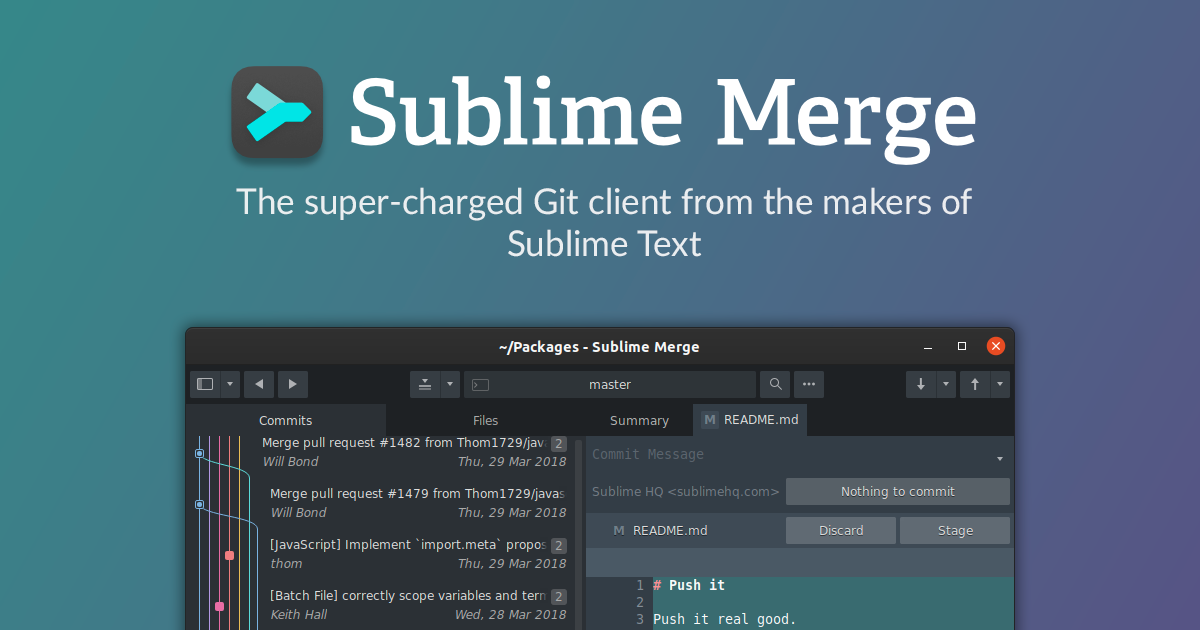
- I would be nice to be able to remove the name inside the commit log. It's only me on this project and literally 50% of the lines (ever other) is my name. - I would also like to have the option to split top/bottom like sourcetree, so that I can read the full commit message easier. - The 'end of list' looks like a loading indicator - 'Staging lines' only appear when I select something on the line (even one characer). It would be good if clicking in a line actually selected the whole line instead of adding a (unusable?) cursor - The logo might want to have a shadow where the light and darker color meet. Right now it is looks kinda strange. The Sublime Text logo has shadows where two edges meet. That logo does 'fold' over itself though which this one doesn't. But anyway the color difference is strange on my eyes.
I think GitKraken does the user indicator best by using gravatar icons for each commit node on the graph. Much more compact way to show who's who. Can get confusing in very active repos but it's better than too much text on the screen
Comments (351) 76 threads
Edit: there's also the announcement blog post, at https://www.sublimetext.com/blog/articles/sublime-merge
Thanks for the great work! No single text editor in my life i love as much as sublime!
But PS, you have a broken link on the /download page
Of course that leading slash will break things -- you could drop the whole `/https:` too.For example, when you stage a file in Sublime Merge, we internally predict the resulting change to the repository, so the changes are reflected in the UI immediately, while the operation is actually happening asynchronously. In contrast, other Git clients can take seconds before being able to stage a second file.
Does it offer any integration with Sublime itself (e.g. if someone has a license for both)?
Right now, Sublime Merge will pickup installed Sublime Text packages (e.g., for syntax highlighting), and will also find Sublime Text when you choose Open in Editor from within Merge (this can be customised to something else though, of course).
1. If Sublime Text could detect when a directory is a git root directory, and present a button to "open in sublime merge" (my sublime projects often span multiple git repos, so detection on a folder by folder basis would be key). The ability to configure this to use another git client would make sense, although personally Sublime Merge looks fantastic.
2. A create commit action accessible from the Command-Shift-P dialog. I imagine Sublime Merge launches pretty quickly, so this would be pretty nice as I wouldn't have to keep it open: I could just let Sublime Text manage my "workspace". I currently commit using the terminal (+ Micro Editor), but this could be even better. Note: I notice that there is no "Stage All" button. That would be useful...
Aside: IMO managing workspaces/projects is a weakness of Sublime Text atm. I have tendency to move directories around which makes managing projects a bit awkward. I've resorted to opening sublime from the terminal with `cd /path/to/project/; subl .`. Not sure I have any specific suggestions for improvements, but that welcome screen in Sublime Merge sure looks nice...
2. Merge tool integration for file merging/diffing (e.g. if two files are selected in the sidebar, you could right-click > diff files, and perhaps an action on an open file could be "diff file with..."). There are plugins for Sublime Text that try to do this with two text panes, but they don't work especially well. IMO there aren't very many good diff tools, so a lightweight one that works cross-platform could be a good market to target.
Thank you for Sublime Text. I've used it almost every day for work for the last 5 years and it's definitely made my life much easier!
Continue this thread — 6 replies
If it's possible, I'd also like some auto-sync mode (e.g. when a folder with a git repo is opened/active in sublime text, have sublime merge automatically switch to that).
Eventually, perhaps Merge can just be an extra tab (or something similar), inside ST, for people with both licenses.
Trying to migrate away using spacemacs but it's not going well
Great job on Sublime Merge.
Well, to be honest I've heard of folks complaining about Electron apps, but are easy enough to avoid. Oh yeah and Swing was a bit sluggish… in the 90s.
What am I missing?
Continue this thread — 2 replies
In demoing Sublime Merge — if I move branches that use a different submodule or different submodule version, I get uncommitted changes, either a folder where the submodule was or commit change on submodule.
Other than this it looks great!
We do have some basics in there right now, you can directly edit commit messages and squash commits without any fuss. Full interactive rebase support will be coming later.
I have a question, or rather a request. As a long term Sublime Text user I like to hide the menu bar which you can't seem to do in Sublime Merge. Would you consider adding this in a future release?
Not a huge problem because there's the cool branch list/switcher at top center, so maybe will find myself working with the Location Bar hidden mostly.
Continue this thread — 41 more replies
They really know their target audience.
Continue this thread — 7 replies
It was an excellent motivator. :)
Eg most UIs have a good File History window, but often finding the appropriate file is a lot of work (and by often I mean at least SourceTree, GitKraken and GitExtensions iirc). Eg something like you need to scroll through commits until you found one that happened to have changed that file, then right-click the file, choose file history.
In Sublime, it's just Ctrl+P, fhmyfilename.
I care about stuff like this (same for Blame, and Stage/Commit (which is usually done great though)) because it's the kind of thing UIs are great at. Both invoking the command and using the output is significantly easier and nicer in a UI than it is from the terminal. Eg it's way more important than an extended "Pull" dialog with all kinds of options I don't care about - I can do that just as easily from the terminal, and my editor probably has a button/keystroke for it somewhere too. So far it seems to me that the Sublime folks got their priorities right. Hats off, will probably purchase!
- I would be nice to be able to remove the name inside the commit log. It's only me on this project and literally 50% of the lines (ever other) is my name.
- I would also like to have the option to split top/bottom like sourcetree, so that I can read the full commit message easier.
- The 'end of list' looks like a loading indicator
- 'Staging lines' only appear when I select something on the line (even one characer). It would be good if clicking in a line actually selected the whole line instead of adding a (unusable?) cursor
- The logo might want to have a shadow where the light and darker color meet. Right now it is looks kinda strange. The Sublime Text logo has shadows where two edges meet. That logo does 'fold' over itself though which this one doesn't. But anyway the color difference is strange on my eyes.
Maybe I'm doing something wrong but if I add a new file the only options are Delete or Stage. Or maybe it isn't implemented yet.
All comments shown.
Couldn't load more comments. Check your connection and try again.