Show HN: I built my own PM tool after trying Trello, Asana, ClickUp, etc. (opens in a new tab)upbase.io
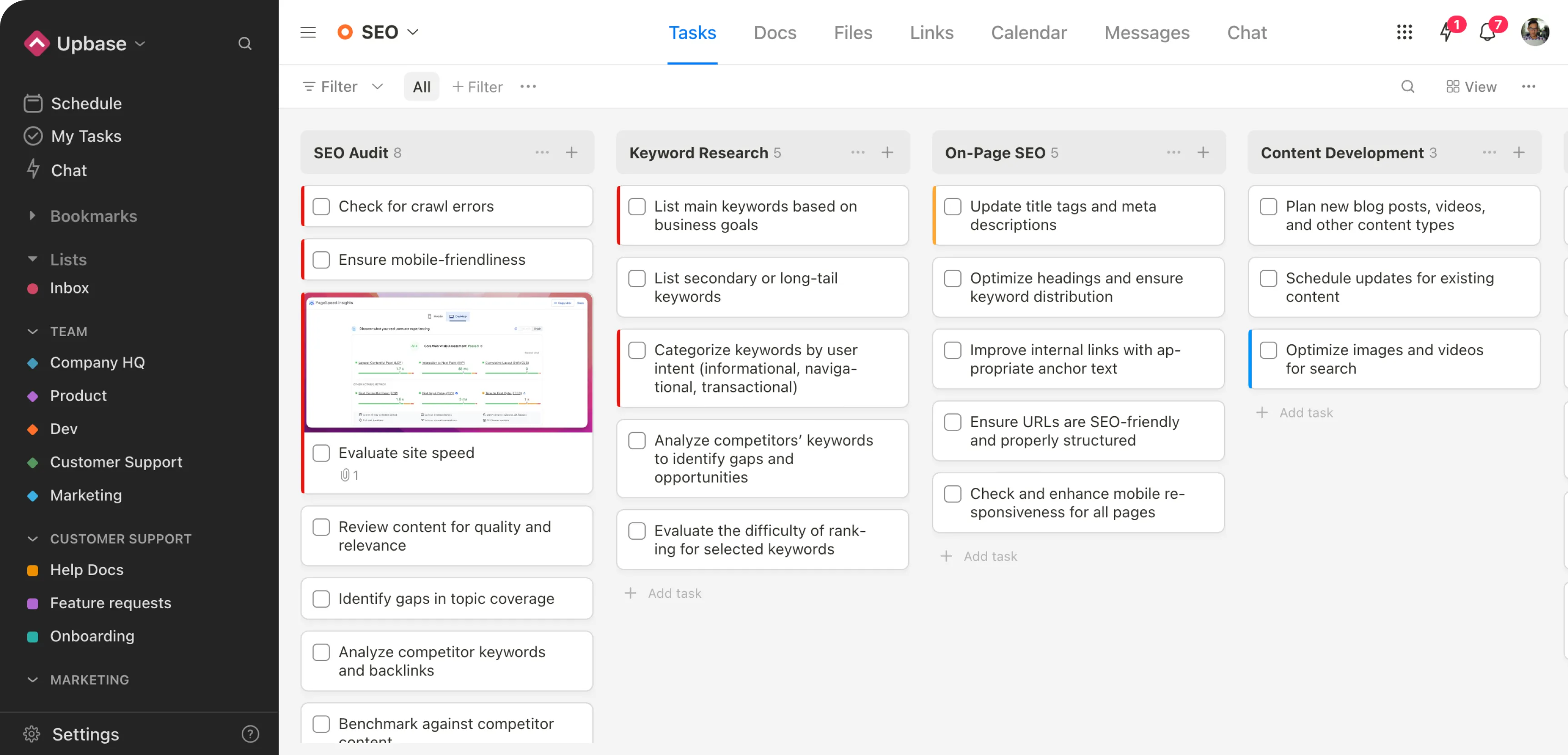
632 pointsOver the past two years, I've been building Upbase, an all-in-one PM tool.
I've tried so many project management tools over the years (Trello, Asana, ClickUp, Teamwork, Wrike, Monday, etc.) but they've all fallen short. Most of them are overly complicated and painful to use. Some others, like Trello, are too limited for my needs.
Most importantly, most of these tools tend to be focused on team collaboration and completely ignore personal productivity.
They are useful for organizing my work, but not great at helping me stay focused to get things done.
That's why I decided to build Upbase.
I try to make it clean and simple, without all the bells and whistles. Apart from team collaboration, I added many personal productivity features, including Weekly/Daily planner, Time blocking, Pomodoro Timer, Daily Journal, etc. so I don't need another to-do list app.
Now I can use Upbase to collaborate with my team AND manage your personal stuff at the same time, without all the bloat.
If these resonate with you, then give Upbase a try. It has a Free Forever plan though.
Let me know if you have any feedback or questions!
Comments (453) 118 threads
Earlier commentsBuilding a team is always a turn-key project. Tools are a part of it.
Time will tell if this is going to be a widely adopted framework or you are able to inspire several people with your ideas and some of them get adopted in other tools. Even if it only allowed you to better understand your ideas it is worth it. Once again - congratulations and continue inspiring others!
Also if I create a task on a weekly planner view, it should I believe show up as a task which "needs to be done" . It seems to not exist, unless I am in weekly view.
Because of this missing functionality or my ability to figure it out I cant use it - I think its a simple expectation my end though. Just offering feedback, looks great tho.
Weekly Planner and Daily Planner are the two main views, so you need to go to these pages to check for due tasks.
[1]: https://imgur.com/a/JvsXVIN
All comments shown.
Couldn't load more comments. Check your connection and try again.