Show HN: I built a(nother) house optimized for LAN parties (opens in a new tab)lanparty.house
1117 pointsI wasn't quite sure if this qualified as "Show HN" given you can't really download it and try it out. However, dang said[0]:
> If it's hardware or something that's not so easy to try out over the internet, find a different way to show how it actually works—a video, for example, or a detailed post with photos.
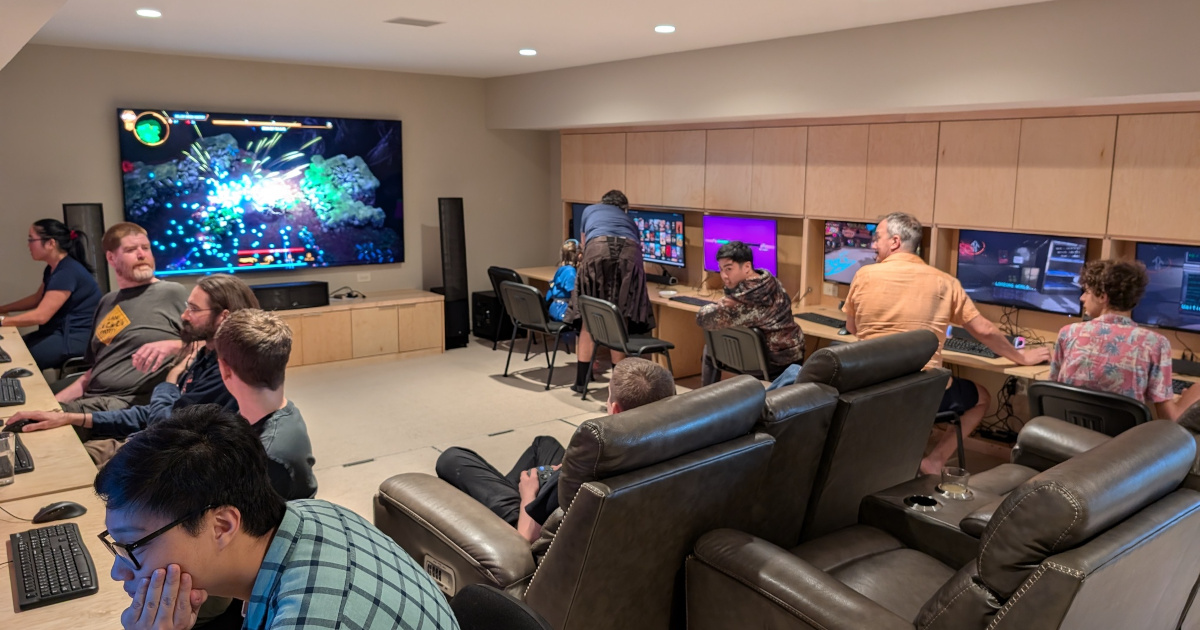
Hopefully I did that?
Additionally, I've put code and a detailed guide for the netboot computer management setup on GitHub:
https://github.com/kentonv/lanparty
Anyway, if this shouldn't have been Show HN, I apologize!
[0] https://news.ycombinator.com/item?id=22336638
Comments (381) 102 threads
Earlier commentsBut I am going to try switching the game machines to Linux at some point. I can't tell you how many times I've run into what were almost showstopper problems with the whole iSCSI netboot thing with Windows, only to get really lucky with some registry hack that worked around it. I'm sure it's going to just stop working at some point. Whereas with Linux I can dig into the stack and make things work however I want.
In fact, in the old Palo Alto house, when I first completed it in 2011, the game stations were Linux for the first six months. In theory it was a better setup because the machines were able to use their local disks for the copy-on-write overlay (this was easy to set up with an initrd script and Device Mapper). With Windows, I haven't figured out how to utilize the local disk at all -- so all the copy-on-write overlays are on the server side, which of course wastes server resources.
Of course, the problem with Linux is game support. We got a long way with WINE in 2011 but there were just a few too many issues. Here in 2024, Linux is ostensibly a much more capable gaming platform, with Steam support, Proton, etc. So maybe it'll work better this time?
Anyway, just another project on the todo list...
Would completely bypass the iSCSI setup, and each machine would still get the latest image from your server before the lan party begins.
There have been a decent number of times when I actually did this during a party to fix an issue, or between parties just to keep the machines maintained for the family to play with, etc. It'd be hard to do that if I have to spend hours transferring a large image every time.
Aside from the stability issues at boot time, there isn't really a down side. I don't have any problems with load times. So I'm pretty happy with the setup.
Continue this thread — 1 reply
Hack the planet!
But my parties go back to 1996, before we had digital cameras. I'm hoping my mother is able to dig up some really old photos from her storage and scan them...
Let me guess: the LCD monitor sitting at the comfy empty chair was yours. Meanwhile, your friends lugged their bulky CRT monitors to your house—nearly breaking the monitors in the process—and instead of being jealous, they insisted it was worth it for the superior color accuracy, contrast ratios, and refresh rates.
Also, shoutout to moms with camcorders and minivans—two things we were all embarrassed by back then but now fully appreciate for their superior practicality.
Continue this thread — 1 reply
How do you deal with Windows licensing/activation in that scenario? I didn't see anything in the Github repository, and I can't imagine that not being the worst PITA.
At least, that's how it worked for me in Palo Alto. For some reason with the new setup Windows complains about activation after every reimage, until I click "troubleshoot activation", and then it phones home and figures it out? I need to debug this.
All comments shown.
Couldn't load more comments. Check your connection and try again.