Show HN: Bayleaf – Building a low-profile wireless split keyboard (opens in a new tab)graz.io
735 pointsHey HN,
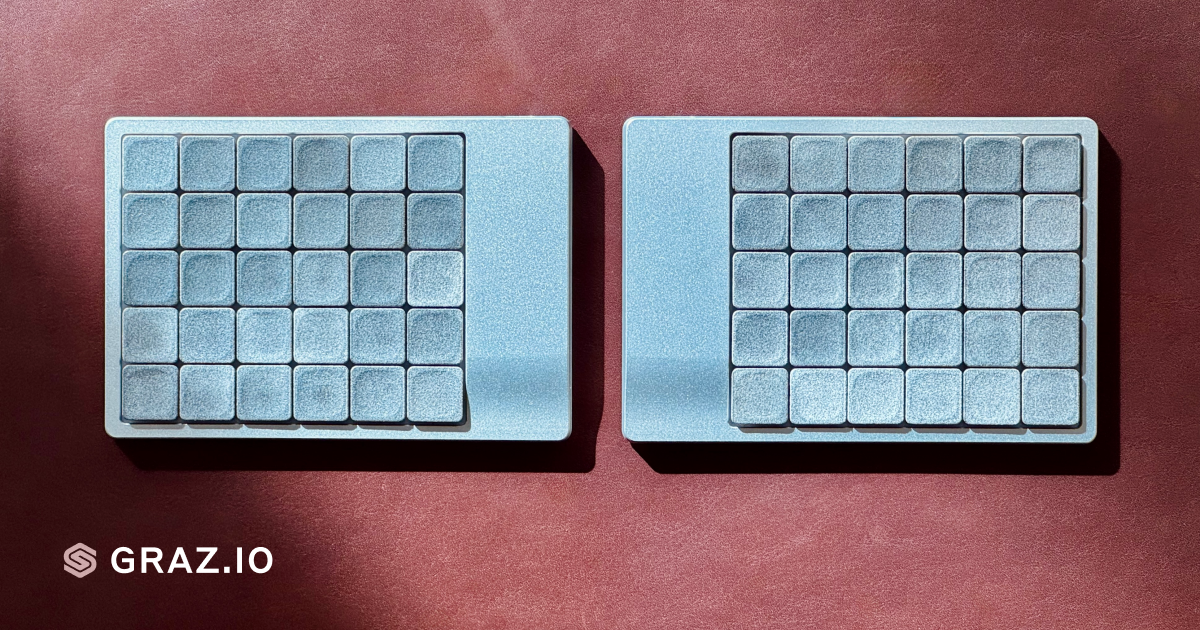
I built a wireless, split, ultra-low profile keyboard from scratch called Bayleaf. As a beginner I learned all things electronics, PCB-building, designing for manufacturing, and many other hardware-related skills to put this together.
This case study dives into the build process and of course the final result, hope you enjoy!
Comments (247) 85 threads
Earlier commentsThen I realized I could just buy two Magic Keyboards and use them at the same time -- typing on the left half of the left one, and the right half of the right one.
After all, the proper ergonomic position is for your forearms to be parallel (not angled inward), which means the keyboard halves you're using should be approximately shoulder-width apart, so there's tons of room to use both without them colliding.
Once I figured it out, I felt like an idiot for not figuring it out a decade earlier. I'm never going back.
https://karabiner-elements.pqrs.org/
So I'll e.g. page down by holding Fn on the left keyboard and down arrow on the right.
Magic keyboards are $100 new. Or $30-40 on eBay used.
Split keyboards are more. They're niche so they're more expensive.
I have these ultra thin bt keyboards that came in a leather ipad case from Restoration Hardware... SUPER THIN.
These bitches better have a lot of magnets! (oh saw that in future. and the LED thingy -- if you can have a display in the side panels, that would be nifty - and a second BT object? Whereby the display in the side panels is BT to phone and thus get distractions.
my problem with small super thin BT keyboards is that the materials are too slippy -- so a tacky-ish finish so they dont slide around when on a surface such as a pant leg or so...
also, a curved version of this would be great for a sleave version - with magnets so that you slap one on your fore-arm. could even have power/connectivity coming from wires in the garment that they attach to.
Magnets basically. Need lots.
--
what if... since the thing is so small, the actual object is the mouse? So you can choose l/r object and then just grab it and mouse about?
All comments shown.
Couldn't load more comments. Check your connection and try again.