Show HN: Bayleaf – Building a low-profile wireless split keyboard (opens in a new tab)graz.io
735 pointsHey HN,
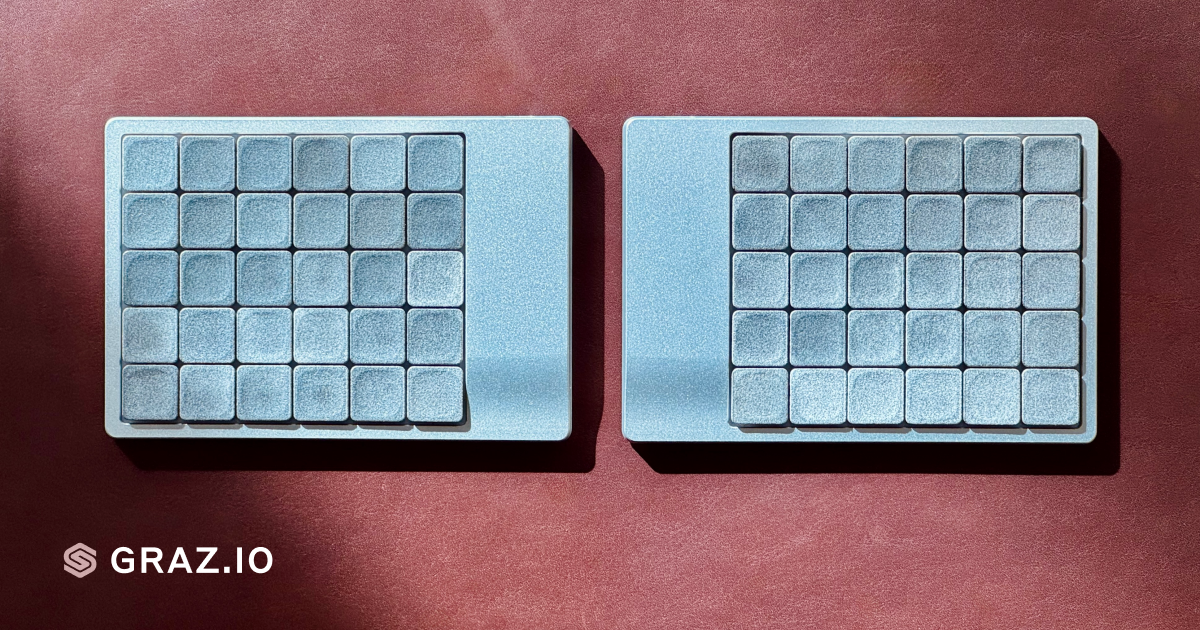
I built a wireless, split, ultra-low profile keyboard from scratch called Bayleaf. As a beginner I learned all things electronics, PCB-building, designing for manufacturing, and many other hardware-related skills to put this together.
This case study dives into the build process and of course the final result, hope you enjoy!
Comments (247) 85 threads
Earlier comments> Typing on the keyboard is very comfortable due to it’s low height. No more wrist arching.
Fully agreed. I went through many keyboards, from very expensive to very cheap, until I found the one my joints were okay with, and I think it was the lowest height of all. A cheap no-name, straight from Aliexpress. I think it's even lower than yours - hard to measure, but looks like ~4mm from table to top of keys. You can tell from the size of the USB-C port [1].
[1] https://ae01.alicdn.com/kf/Sffc2751fa6184967aaa16f2a629ca166...
One challenge I’ve seen with wireless keyboards (especially splits) is managing synchronization lag between halves. Some DIY split builds struggle with Bluetooth interference, while others use NRF-based communication. What approach did you take to keep latency low and ensure reliable keypress synchronization? Also, how does the power efficiency compare to something like a ZMK-powered split?
Continue this thread — 5 replies
I'm also using nice!nanos in my projects, and they're great little devices. At this point I'd love there to be a good alternative using a dongle, though... I have a desktop PC that I want to use them with, and since they can't connect via Bluetooth at boot time, I always have to connect them to select a boot option and unlock my ZFS drive.
Having an affordable or open source controller that can do split as well as nice!nanos, but also switch between Bluetooth and a dongle is like the holy grail to me. I'd instantly buy 10.
https://caseend.com/data/acat/acat-x2
Almost 1-1 in dimensions but with thicker panels
All comments shown.
Couldn't load more comments. Check your connection and try again.