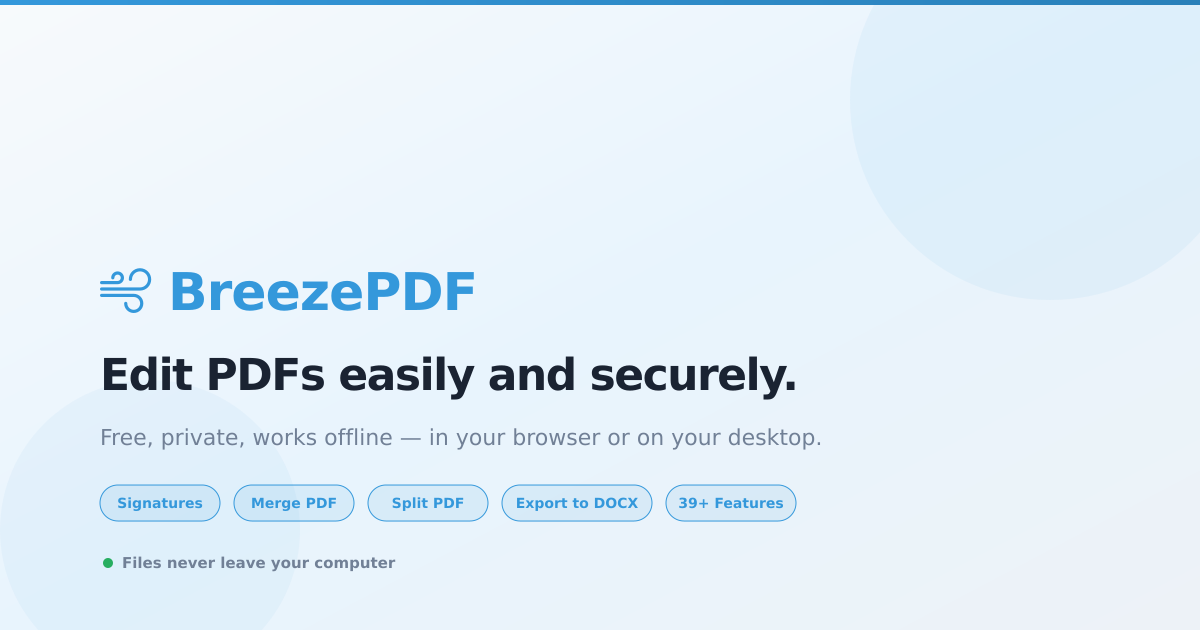
Add text, input boxes, pictures, signatures, delete pages, merge PDFs and password protect them. All happening in the browser, 100% free and no sign-up.
I tossed a legal document at it which was recently of passing interest to me, and it looks like embedded fonts still need some work. I'm not inclined to share a test case from what I have, which relates to a change of name and in any case was not really prepared by anyone especially competent when it comes to PDFs and their content; I tested with the first, facially void, version I was given. But it is possible I'll find more use for this tool, and if a shareable test case does come along then I'll do so. (And heaven knows with this document format, embedded fonts are a total nightmare always, even somehow in programmatic authoring. I'm not criticizing!)
On a similar note, a downloadable (single-file HTML or so, although these days some kind of HTTP service is a practical necessity) version would be nice to have. Low pri even from my perspective; it isn't that I spend a lot of time in places with no cell signal, so much as just that tethering on an a la carte plan gets out of hand pretty quick, since applications aren't at all required to honor or even notice the existence of the "data saver" option. This is really neat! Thanks for posting it, I've bookmarked it for later use in the "just need a quick tweak" kind of case. I'll look forward to seeing how it develops!
Fonts on the web are super hard. There’s hardly any useful browser APIs for the kind of typesetting you need for PDFs: itemization, character bounding boxes, font file sub setting, etc. To solve or properly, you need to include a lot of code, e.g. all of harfbuzz compiled to wasm.
Well, that's the thing. Web fonts are hard. PDF fonts are super hard. Both at once is...actually maybe not hideous these days. Oh, I would not wish the task of devising such an algorithm, but the subset of vector fonts supported in PDF and that in browsers aren't totally disjoint, I think.
Modern processors can handle the relevant conversion math without really waking from sleep, which will no doubt make it more frustrating when some W3C third party resource security model WG fistfight from 2013 makes it impossible to both construct and use a webfont on the client. (There may be some hideous blob URL magic, but those are length constrained so you could up in N subset nonce fonts bucketing M custom glyphs from the source document, with a hideously complex fifty-case rewrite for all the p90 ways of mapping fonts in PDF (or is that 90 cases and p50?) to render the document in the editor. And then have to handle the actual editing cases, like what happens when your subset nonce font of a subset embedded font doesn't map any character to the keycode you just saw, and you want to try to give the user something with metrics sorta matching what they wanted instead of Helvetica or Times New Roman out of a naïvely constructed fontset. I may have worked with PDF in browsers one time too many, before. But the idea of using WASM to smuggle real tools into this impoverished environment actually makes a lot of sense to me...
I'll take a look at improving rendering embedded font support. And that's a neat idea to be able to download it for offline, I'll give some thought to that. Appreciate your feedback!
Oh, that's an excellent point, especially since this is a perfect case for workers more broadly. I've had a bit of an app dev interregnum these last or postpandemic years; if service worker support has advanced that broadly, then that's wonderful news! Not especially surprising news, I suspect, but wonderful. Last I afforded close attention, the state of play for service workers in iOS Safari particularly was "don't bother."
Since I like an iPhone - or have thought at least they're least worst for 13 years and counting - you can probably imagine how this would have depressed my interest: Even though irrelevant here in that touchscreen PDF editing is an extremely hard problem and none I'd expect a solo dev to address, just knowing nothing I built with a worker I would myself be able to use, has made me not want to sink good time and effort into the topic at all. Best case that's all just wasted; worst case, it creates a dilemma I might not escape without a new regret.
Emedded fonts only embed the used characters, so if ypu want to change "John" to "Mary" and there is no capital "M" elsewhere in the doccument, you are out of luck. Can this be your problem?
The mapping is incorrectly decoded and applied such that many characters for which glyphs are embedded and applied do not show them. It's a pretty common style of PDF mojibake, I think, and sometimes appears also with badly subsetted webfonts or "icon font" abortions if you disable page fonts in your browser settings.
I love the idea of a downloadable version because I suspect there are a lot of business cases of
* Need to make a relatively narrow change to a PDF (add a line, reorder pages, concatenate two files) * Adobe is $$$ and pretty much a subscription-only fiasco. Even the most trivial tasks are paywalled. * Even if you're paying for Adobe at a corporate level, getting the IT clearance to get it installed might be more time sink than the actual task, We have a server that had pdftk installed to generate some pre-filled documents and I ended up using that to concatenate two PDF files instead of fighting to get Real Acrobat.
Nice work. I've been building something lately to manipulate PDFs in the browser for privacy, although it's quite a different use case.
I think I see you're using pdf-lib and jspdf - both great libraries, and I'm using both, but: (1) Have you seen the recent WASM compilation of MuPDF? I am also using it for some functions and find it really excellent with accessible APIs and highly functional. Worth an try! (2) We chose different forks of the (unmaintained) pdf-lib - is there a reason you went with `pdf-lib-plus-encrypt`? I chose the cantoo fork, which seemed well-maintained to me - but I didn't research many others so would be interested to know if there is a good reason.
(1) Yes, I am very familiar with the WASM compilation of MuPDF. It's got a lot of great features. I actually built another product pdfredactoronline.com that does redaction fully in the browser using the MuPDF WASM compilation. The reason I don't use it in BreezePDF is MuPDF has an APGL license which requires open-sourcing any code that uses their software. Which, I guess technically anything fully browser based is essentially open sourced :) so perhaps I could use it here.
Since a lot of the basic functionality I've added so far is also covered by more permissible packages like the ones you mentioned, I've started out just using those. But thanks for bringing that up, I'll revisit using MuPDF for redaction and other features (2) I went with pdf-lib-plus-encrypt because the original pdf-lib doesn't have functionality for password-protecting PDFs, and since pdf-lib-plus-encrypt does, I used it so I could have that feature
> Which, I guess technically anything fully browser based is essentially open sourced :) so perhaps I could use it here.
Open source isn't just about the source code being available (and when making web apps, there is often a compile step which makes the browser facing code not source code), but also about the license under which it is available. It is in every sense of the word technically not open source.
My wife hit a wall trying to upload a hefty PDF - every “shrink” tool we tried barely compressed the size, and some even made it larger! Frustrated by the state of PDF compressors (looking at you, Adobe), I turned to LLMs - Claude, Deepseek, and Gemini came up short, but OpenAI’s o4-mini saved the day with a perfect solution.
That inspired me to build pdfmini: a tiny, open‑source, client‑side HTML app that crushes PDF sizes right in your browser!!!
No installs, no fees, zero privacy worries - all your data stays on your machine.
This gave me an idea. You seem to be the right person to talk to.
Here is my workflow.
Have a bunch of PDFs and images I need to combine. I go to tools.PDF24.org,
Merge pdfs, then compress them, then more compress them because of size limits, then add or remove pages. Then add page numbers. These are multiple steps. Could we have a way of defining these terms at start, either textual or no-code-like or something where we could define stuff like Take input, merge > compress with greyscale, Max size 1MB, add page numbers on bottom right Or Convert input to jpg with image size 8cm by 8cm I know many people who simply fail at such stuff. They just throw their hands up in defeat. Not saying we should have llms do the job but if we could have multiple actions so that people could tell the software what they have in mind. People dont just compress PDFs, often merge and then compress. I recently say pdfux.com but it is not as featureful as PDF24 but PDF24 crashes a lot.
You know what. I will share my script in the morning.
I used scantailor go scan a book. That gave out tif files. So I built a script to convert them to jpg, then merge into PDF. Then OCR and add the text layer on PDF. Then compress. I know this for a niche automation..... web OTOH where normies reside and are scared by terminal, it wont work. Been using pdftk for years now but im only person who can use it in my office.
Congratulations, you've managed to "compress" PDF files by rasterizing every page to JPEG, while destroying all the vector and textual information in it. The resulting PDF is nothing like the input -- it's just a bunch of blurry JPEG images wrapped in a PDF format. You can't search or copy the text, and trying to print it will just make a blurry mess of the text.
Nail it. I requested a 50% compression for a 200MB PDF file that contained pictures, and the tool made it an illegible mess. I can't imagine using this tool for anything serious, like tax returns, that requires a machine-readable file.
docker run -d -p 8080:8080 -e DOCKER_ENABLE_SECURITY=false --name stirling-pdf frooodle/s-pdf:latest Lots of features, OP you should definitely check this out
Seems cool! Thanks for sharing. Even though it's MIT licensed it's written in Java, so unfortunately I can't borrow any code, but it's nice for inspiration.
Comments (182) 50 threads
On a similar note, a downloadable (single-file HTML or so, although these days some kind of HTTP service is a practical necessity) version would be nice to have. Low pri even from my perspective; it isn't that I spend a lot of time in places with no cell signal, so much as just that tethering on an a la carte plan gets out of hand pretty quick, since applications aren't at all required to honor or even notice the existence of the "data saver" option.
This is really neat! Thanks for posting it, I've bookmarked it for later use in the "just need a quick tweak" kind of case. I'll look forward to seeing how it develops!
Modern processors can handle the relevant conversion math without really waking from sleep, which will no doubt make it more frustrating when some W3C third party resource security model WG fistfight from 2013 makes it impossible to both construct and use a webfont on the client. (There may be some hideous blob URL magic, but those are length constrained so you could up in N subset nonce fonts bucketing M custom glyphs from the source document, with a hideously complex fifty-case rewrite for all the p90 ways of mapping fonts in PDF (or is that 90 cases and p50?) to render the document in the editor. And then have to handle the actual editing cases, like what happens when your subset nonce font of a subset embedded font doesn't map any character to the keycode you just saw, and you want to try to give the user something with metrics sorta matching what they wanted instead of Helvetica or Times New Roman out of a naïvely constructed fontset.
I may have worked with PDF in browsers one time too many, before. But the idea of using WASM to smuggle real tools into this impoverished environment actually makes a lot of sense to me...
I'll take a look at improving rendering embedded font support. And that's a neat idea to be able to download it for offline, I'll give some thought to that. Appreciate your feedback!
Since I like an iPhone - or have thought at least they're least worst for 13 years and counting - you can probably imagine how this would have depressed my interest: Even though irrelevant here in that touchscreen PDF editing is an extremely hard problem and none I'd expect a solo dev to address, just knowing nothing I built with a worker I would myself be able to use, has made me not want to sink good time and effort into the topic at all. Best case that's all just wasted; worst case, it creates a dilemma I might not escape without a new regret.
Continue this thread — 1 reply
PWAs are basically "installable" pages which open in their own browser window and generally can work offline
[1] https://developer.mozilla.org/en-US/docs/Web/Progressive_web...
* Need to make a relatively narrow change to a PDF (add a line, reorder pages, concatenate two files)
* Adobe is $$$ and pretty much a subscription-only fiasco. Even the most trivial tasks are paywalled.
* Even if you're paying for Adobe at a corporate level, getting the IT clearance to get it installed might be more time sink than the actual task,
We have a server that had pdftk installed to generate some pre-filled documents and I ended up using that to concatenate two PDF files instead of fighting to get Real Acrobat.
I think I see you're using pdf-lib and jspdf - both great libraries, and I'm using both, but:
(1) Have you seen the recent WASM compilation of MuPDF? I am also using it for some functions and find it really excellent with accessible APIs and highly functional. Worth an try!
(2) We chose different forks of the (unmaintained) pdf-lib - is there a reason you went with `pdf-lib-plus-encrypt`? I chose the cantoo fork, which seemed well-maintained to me - but I didn't research many others so would be interested to know if there is a good reason.
Since a lot of the basic functionality I've added so far is also covered by more permissible packages like the ones you mentioned, I've started out just using those. But thanks for bringing that up, I'll revisit using MuPDF for redaction and other features
(2) I went with pdf-lib-plus-encrypt because the original pdf-lib doesn't have functionality for password-protecting PDFs, and since pdf-lib-plus-encrypt does, I used it so I could have that feature
Continue this thread — 5 replies
Open source isn't just about the source code being available (and when making web apps, there is often a compile step which makes the browser facing code not source code), but also about the license under which it is available.
It is in every sense of the word technically not open source.
Try pdfmini now:
https://den-run-ai.github.io/pdfmini/
Source code for pdfmini:
https://github.com/den-run-ai/pdfmini
Here is my workflow. Have a bunch of PDFs and images I need to combine.
I go to tools.PDF24.org, Merge pdfs, then compress them, then more compress them because of size limits, then add or remove pages. Then add page numbers.
These are multiple steps.
Could we have a way of defining these terms at start, either textual or no-code-like or something where we could define stuff like
Take input, merge > compress with greyscale, Max size 1MB, add page numbers on bottom right
Or
Convert input to jpg with image size 8cm by 8cm
I know many people who simply fail at such stuff. They just throw their hands up in defeat.
Not saying we should have llms do the job but if we could have multiple actions so that people could tell the software what they have in mind.
People dont just compress PDFs, often merge and then compress.
I recently say pdfux.com but it is not as featureful as PDF24 but PDF24 crashes a lot.
# Convert images to PDF
img2pdf *.jpg -o images.pdf
# Merge PDFs
pdfunite file1.pdf file2.pdf images.pdf merged.pdf
# Compress
gs -sDEVICE=pdfwrite -dCompatibilityLevel=1.4 -dPDFSETTINGS=/ebook \ -dNOPAUSE -dQUIET -dBATCH -sOutputFile=compressed.pdf merged.pdf
# Remove unwanted pages (e.g., page 3)
pdftk compressed.pdf cat 1-2 4-end output final.pdf
# Add page numbers
pdfjam final.pdf --outfile final_numbered.pdf --pagecommand '{}' --landscape
Continue this thread — 1 reply
Continue this thread — 1 reply
I used scantailor go scan a book. That gave out tif files.
So I built a script to convert them to jpg, then merge into PDF. Then OCR and add the text layer on PDF. Then compress.
I know this for a niche automation..... web OTOH where normies reside and are scared by terminal, it wont work.
Been using pdftk for years now but im only person who can use it in my office.
Congratulations, you've managed to "compress" PDF files by rasterizing every page to JPEG, while destroying all the vector and textual information in it.
The resulting PDF is nothing like the input -- it's just a bunch of blurry JPEG images wrapped in a PDF format.
You can't search or copy the text, and trying to print it will just make a blurry mess of the text.
docker run -d -p 8080:8080 -e DOCKER_ENABLE_SECURITY=false --name stirling-pdf frooodle/s-pdf:latest
Lots of features, OP you should definitely check this out
All comments shown.
Couldn't load more comments. Check your connection and try again.