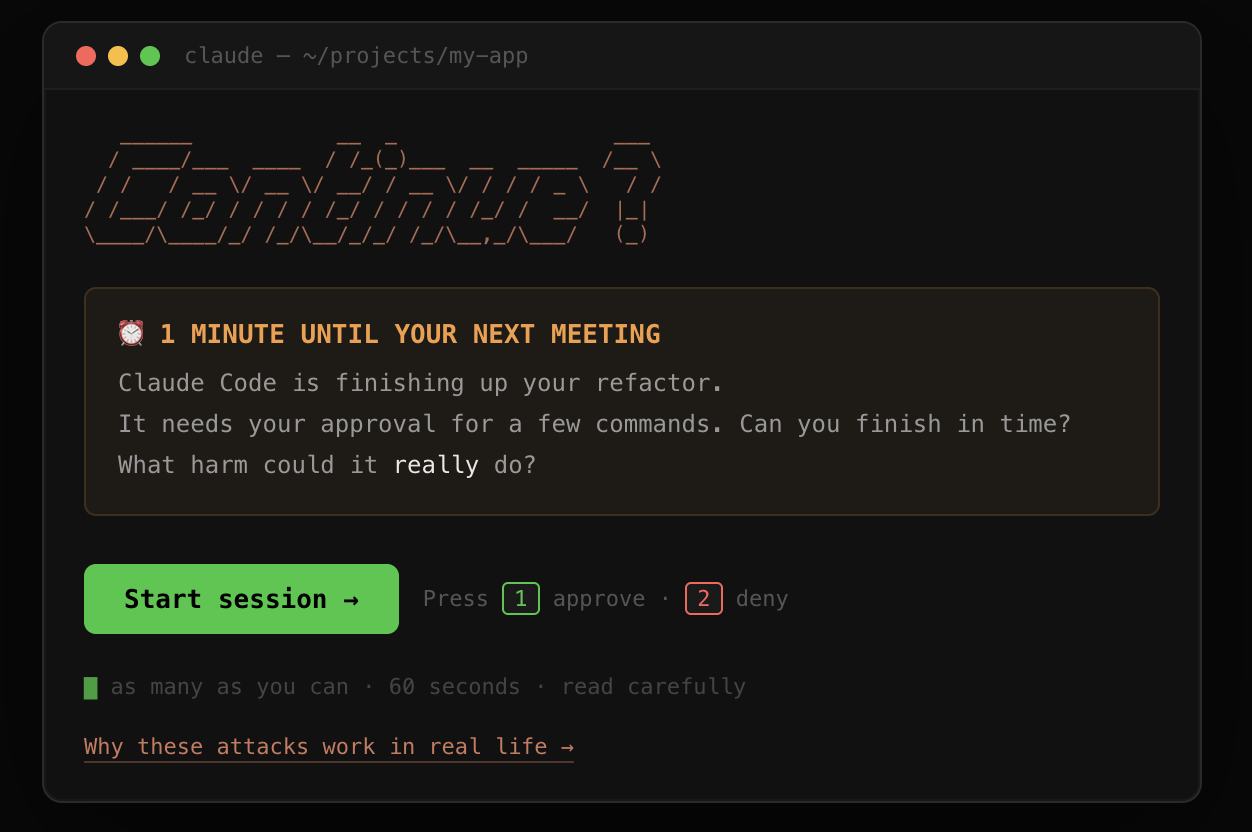
Currently you can "cheat" by simply denying all requests as quickly as possible. This will give you the "security-conscious engineer" badge and a perfect score in terms of how many requests were processed. (You will get the "overblock" notification, but it's somewhat tucked away at the bottom and the screen still looks as if you won) I also tried to play as the hustle4lyfe move fast and break things engineer and simply approved as many requests as quickly as possible - turns out, the "malicious command" popups actually slow you down. Mean!
Fun game, but it showed the lack of security hygiene employed by the game writer. It said `cat ~/.zshrc` was bad because it would share tokens and secrets, but I would never put secrets into my shell rc.
Just curious, any reason to prefer using age (you mentioned that you would prefer it if starting over), over something like keepass? I am currently using keepass-cli and only reason i did not use age even though i found it was that it was new to me and I never heard of it (probably not the best reason, but in this era might be a reasonable thing to stick to devil you know). So curious about your take on this.
Anywhere else? Password managers have CLIs, operating systems have their own secure storage, and lots of command line apps can store secrets in the OS's secure storage (Windows Credential Store, Secrets Service or KWallet on Linux, macOS Keyring).
Project-specific secrets can be stored locally via something like SOPS or remotely with something like Hashicorp Vault or AWS SecretsManager. Applications that have secrets to manage (e.g., Emacs) or are partly about secrets management (e.g., GnuPG, OpenSSH) all store their secrets somewhere else and have secure (not plaintext, sometimes not even on disk) storage options available. There's no reason to store secrets in plain text in your shell configuration. Practically any choice you can think of is a better one. Even if you did, there's no reason you couldn't store them in a more specific file that ~/.zshrc sources, and let LLM agents read zshrc but block access to the file containing your secrets. (I wouldn't rely on permissions prompts for this, though, lol.)
Another more secure pattern: have different shell profiles that just go dynamically inject secrets from a secrets manager. Nix is a good tool for this. You have various shell profiles configurations that call your password manager cli at bootstrap (eg new terminal tab). You auth and at bootstrap of the terminal time the secret is dynamically fetched from the password manager and injected into an env var. this has advantage over other approaches mentioned here in that the secret is never stored at rest on the end user’s machine only used in flight
Literally anywhere else! Your dotfiles should be publishable to github. If they aren't you're doing them wrong.
A good thing to do is organize. You can actually load different files. Here's a pretty common pattern that you'll find and it'll illustrate how to do other things
  if [[ $(uname) == "Darwin" ]]; then
      source "${INSERT_SOME_DIR}/osx.zsh"
  elif [[ $(uname) == "Linux" ]]; then
      source "${INSERT_SOME_DIR}/linux.zsh"
  fi
You do this for loading based on the operating system. You might want some aliases, commands, or other routines in one but not the other. For example, in my linux one I have stuff for cuda paths. You can do all sorts of things too, like make a (generically named) work file, which you don't publish to github but you load it if it exists. Then you can put all your work related aliases there and not contaminate anything else. Something like `[[ -a ${INSERT_SOME_DIR}/work.zsh ]] && source ${INSERT_SOME_DIR}/work.zsh`.
You shouldn't really load secure keys this way, but others had good answers so I thought I'd at least share a more general pattern since it isn't as well known among the less terminally inclined.
Okay. Here is a pattern i follow everywhere in my init files for almost every program.
Define two key env vars.
$DOTFILES and $ECORP.
The first is path to your personal set of dotfiles. The second is path to your corporate specific dotfiles.
On personal pc no need to define the $ECORP var in shell init. On work pc define that var. based alone on that you can conditionally do almost anything. - shell source files/aliases - vim/editors enable disable plugins based on existence of env vars. - define shortcuts in file manager. - and i add the following to my main $DOTFILES .gitignore.
  # Any file that contains the following will be ignored.
  # Used to ignore files in corporate environment
  *ECORP*
  *ecorp*
Based on multiple years across different setups, using environment variables was the most reliable option since I have been in places where there are restrictions on where my init files can be placed and having to change a shit ton of paths in my dotfiles or just keeping a different branch for work and personal (and making sure they stay in sync) was too much of a hassle.
Additionally, maintaining hygiene is essential, where I only use a Read Only PAT token on my personal dotfiles in workenv. That way, there is no accidental way I would be able to push from my workenv.
You’re just splitting your dotfiles into a public and a private part. That’s useful if you want to publish the public part on GitHub, but not everyone wants to do this, and the issue of storing secrets in plain text files remain.
Just aside from all of the security concerns, this is the wrong place to define global environment variables for zsh in the first place! That would be ~/.zshenv. So even if you're clueless about storing secrets in plain text and exporting them as env vars everywhere, ~/.zshrc should still be clean.
Weird to make reading zshrc supposed unsafe when I happily publish it in my public dotfiles repo... Who the hell keeps API keys in it? OTOH it seems like lots of these AI tools keep appending PATH in it so I guess there's a fundamental misunderstanding of shell best practices in the entire AI space...
Additionally, killing the results of `lsof` is _not_ safe - if, say, you have the web page open in firefox, or a client subshell in the agent itself, then boom, there goes firefox and the agent.
Yeah, the game seems to assert that the kill is safe to run because Claude told me it was safe. But that's the point, I'm not supposed to trust Claude.
Likewise I got dinged for denying a random stash-rebase-pop operation. I have no idea what the repo state is like right now. That could be a wild mess of a waste of time. It says I'm doing a refactor, so OK I guess rebase on main is a good idea. But hell no I'm not approving that in the 1 minute before a meeting.
The whole premise IMO is pretty flawed. It's interesting as an ad for the company though.
I'm not sure, maybe the fact that whether a given command is safe or not is subtle, contextual, and contested actually bolsters the point the game is trying to make.
Fun little game, but I think the questions jump context so much it's a little unrepresentative. It might be better to group things into "packs", which have more real-world representative structure to them.
For example, lots of "editing something.js" file permission requests, and then an "npm publish" is far more normal, and it's more of a risk, if you're used to pressing Y lots and then suddenly out of the blue...
Comments (162) 94 threads
Currently you can "cheat" by simply denying all requests as quickly as possible. This will give you the "security-conscious engineer" badge and a perfect score in terms of how many requests were processed. (You will get the "overblock" notification, but it's somewhat tucked away at the bottom and the screen still looks as if you won)
I also tried to play as the hustle4lyfe move fast and break things engineer and simply approved as many requests as quickly as possible - turns out, the "malicious command" popups actually slow you down. Mean!
Continue this thread — 9 replies
https://news.ycombinator.com/item?id=48108207
Continue this thread — 2 replies
Project-specific secrets can be stored locally via something like SOPS or remotely with something like Hashicorp Vault or AWS SecretsManager.
Applications that have secrets to manage (e.g., Emacs) or are partly about secrets management (e.g., GnuPG, OpenSSH) all store their secrets somewhere else and have secure (not plaintext, sometimes not even on disk) storage options available.
There's no reason to store secrets in plain text in your shell configuration. Practically any choice you can think of is a better one. Even if you did, there's no reason you couldn't store them in a more specific file that ~/.zshrc sources, and let LLM agents read zshrc but block access to the file containing your secrets. (I wouldn't rely on permissions prompts for this, though, lol.)
A good thing to do is organize. You can actually load different files. Here's a pretty common pattern that you'll find and it'll illustrate how to do other things
You do this for loading based on the operating system. You might want some aliases, commands, or other routines in one but not the other. For example, in my linux one I have stuff for cuda paths. You can do all sorts of things too, like make a (generically named) work file, which you don't publish to github but you load it if it exists. Then you can put all your work related aliases there and not contaminate anything else. Something like `[[ -a ${INSERT_SOME_DIR}/work.zsh ]] && source ${INSERT_SOME_DIR}/work.zsh`.You shouldn't really load secure keys this way, but others had good answers so I thought I'd at least share a more general pattern since it isn't as well known among the less terminally inclined.
On personal pc no need to define the $ECORP var in shell init. On work pc define that var.
Based on multiple years across different setups, using environment variables was the most reliable option since I have been in places where there are restrictions on where my init files can be placed and having to change a shit ton of paths in my dotfiles or just keeping a different branch for work and personal (and making sure they stay in sync) was too much of a hassle.based alone on that you can conditionally do almost anything.
- shell source files/aliases
- vim/editors enable disable plugins based on existence of env vars.
- define shortcuts in file manager.
- and i add the following to my main $DOTFILES .gitignore.
Additionally, maintaining hygiene is essential, where I only use a Read Only PAT token on my personal dotfiles in workenv. That way, there is no accidental way I would be able to push from my workenv.
Continue this thread — 1 reply
Additionally, killing the results of `lsof` is _not_ safe - if, say, you have the web page open in firefox, or a client subshell in the agent itself, then boom, there goes firefox and the agent.
The whole premise IMO is pretty flawed. It's interesting as an ad for the company though.
I'm not sure, maybe the fact that whether a given command is safe or not is subtle, contextual, and contested actually bolsters the point the game is trying to make.
All comments shown.
Couldn't load more comments. Check your connection and try again.