I don't get this. If you want it to be narrower, make your browser window narrower. And by the way, you don't need an extension for the rest of the stuff, either. Wikipedia already supports per-user custom styling. https://en.wikipedia.org/wiki/Help:User_style
it's an off the shelf one click solution that gets me a more readable wikipedia
i have a huge 4k monitor and always open many browser tabs at once, some tabs I don't want the window to be narrow on, and others might be wikipedia with this when I switch to my wikipedia tab i can just read it and it's very pleasing to the eye
Hmm, well I don't think it's quite one-click, in fact I think it would take fewer clicks to do it on-Wikipedia: click a link like this and then press Publish.
https://en.wikipedia.org/w/index.php?action=edit&title=Speci... (Note: the theme here was picked at random from MediaWiki's `Manual:Gallery of user styles`, so... I disclaim any implication that it's a good theme. In fact, it must be bad - the link for this theme is to `en.m.wikipedia.org` !!!) I hope you know that your browser can have multiple windows.
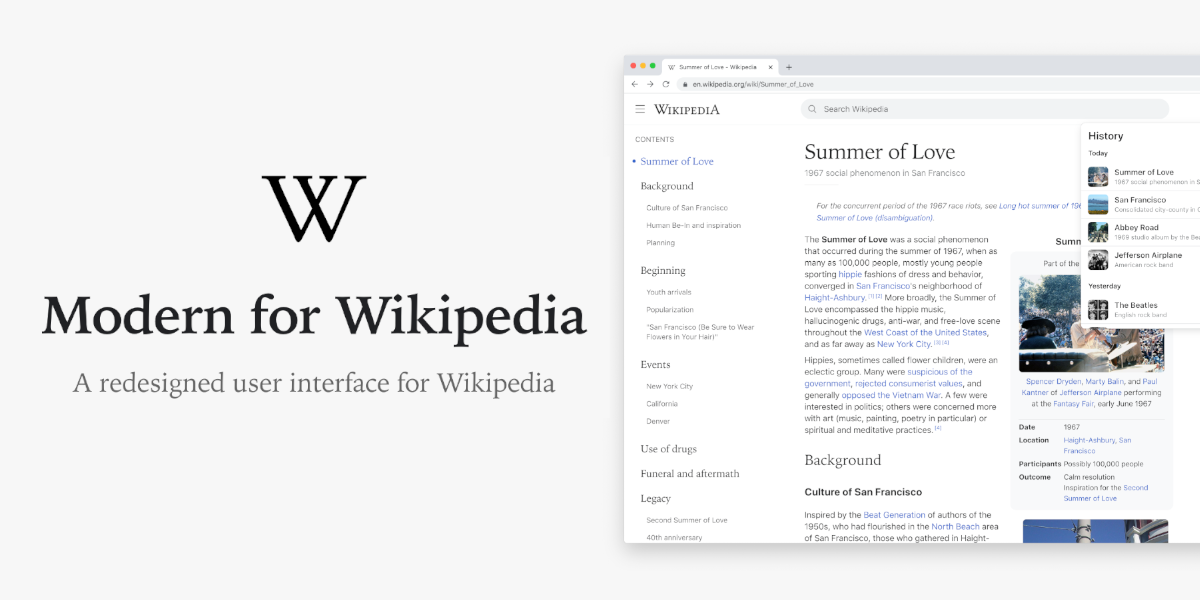
Comments (409) 120 threads
Show all comments
Showing thread 18 of 120
i have a huge 4k monitor and always open many browser tabs at once, some tabs I don't want the window to be narrow on, and others might be wikipedia
with this when I switch to my wikipedia tab i can just read it and it's very pleasing to the eye
https://en.wikipedia.org/w/index.php?action=edit&title=Speci...
(Note: the theme here was picked at random from MediaWiki's `Manual:Gallery of user styles`, so... I disclaim any implication that it's a good theme. In fact, it must be bad - the link for this theme is to `en.m.wikipedia.org` !!!)
I hope you know that your browser can have multiple windows.