Show HN: I spent 2 years building a personal finance simulator (opens in a new tab)projectionlab.com
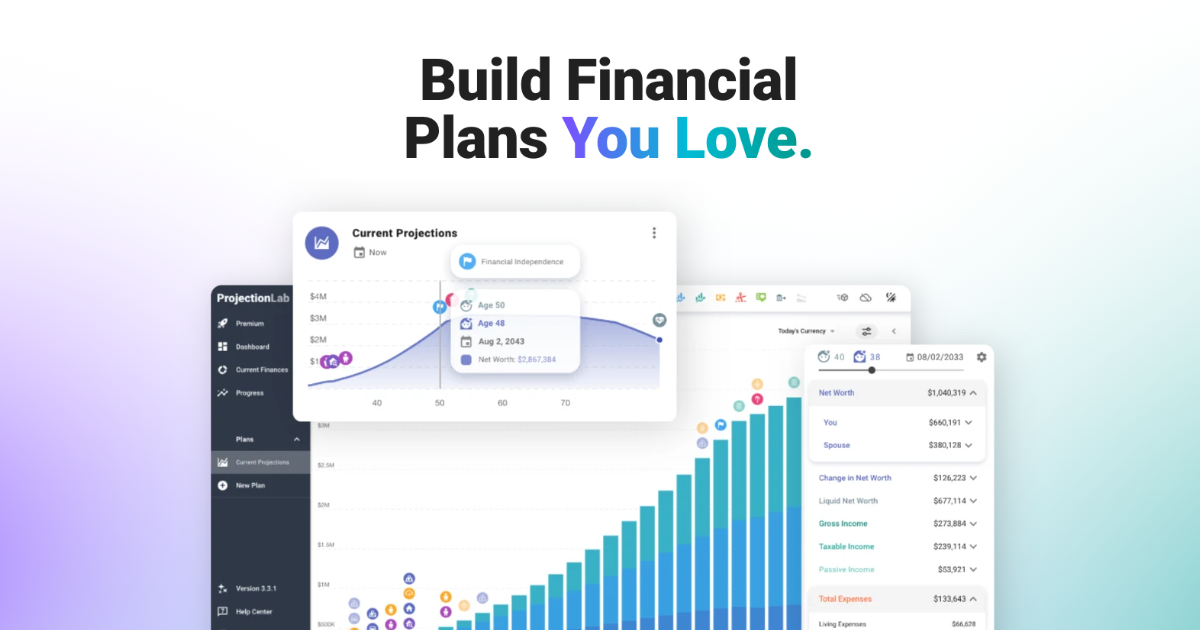
766 pointsTL;DR - ProjectionLab (https://projectionlab.com) is a privacy-friendly personal finance planning tool where you can create financial plans that go beyond the standard online retirement calculators. And by popular request, it now supports self-hosting for Lifetime users!
Something I'm grateful for is that our community here on HN is the difference between PL existing and not. There was actually a time early on when I was one day away from halting work on it. I posted here on a whim, and was shocked to receive some really constructive and energizing feedback that went on to power my indie dev journey over the past two and a half years.
As a quick recap, the story started when I dove head-first down the financial independence rabbit hole. I wanted a hands-on and visual way to explore the trade-offs between different life paths. One thing led to another, and I decided to build ProjectionLab.
After last year's Show HN, I really put my nose to the grindstone, and here are some of the big developments:
- Self-hosting for Lifetime users (spin up your own private deployment, based on Docker Compose, includes support for auth/encryption)
- Cash-flow visualization for each simulated year (sankey charts)
- Tax analytics (detailed breakdowns for projected income, taxes, marginal rates, effective brackets, etc)
- Major redesign of entire app, with landing page and resources now split into separate project
- Filing separately option to improve support for international locations that don't have joint filing
- Roth Conversions and 72t (SEPP) distribution modeling
- Improvements to US tax estimation (Secure 2.0 updates, rental property tax deductions, Medicare + IRMAA, NIIT, principal residence exclusion, etc)
- Better support for planning as a couple
- More modeling options for cash-flow priorities to support different budgeting philosophies and goals
- Extra liquidity + withdrawal options, ability to fund expenses with specific accounts or route income to specific accounts
- Customization options for Monte Carlo simulations (characterization of success rates and outcome types, option to set random seed, etc)
- And a whole bunch more! (https://projectionlab.com/changelog)
The HN community has had a huge role in shaping my overall direction with PL, and I can't wait to hear what you all think of the updates and where you would like to see things go from here.
As always, PL is free to try, with no need to create an account. It does not ask to link your financial accounts, and it has a sandbox mode if you just want to hop in and see how it works.
--Kyle
Comments (288) 77 threads
Earlier commentsQuestion/feedback: is there a way to configure things such that I just pay the correct amount in taxes every year? There's a very detailed part of the plan where I outline that I want to use the US tax bracket strategy, but it's odd to me that I then I have to guess how much taxes to withhold for each income stream. An option where I just always withhold the correct amount per-income stream would be awesome.
FWIW though, I expect implementing exact withholding may be a bit more complicated than you'd imagine because of how complex the interactions with the cash-flow priority system can get. To know how your tax brackets align with a particular income source, you need the complete picture of everything else that happens in that year, including every applicable deduction, contributions to any tax-advantaged accounts, any dividends taxable as ordinary income, etc. That's why it is currently assessed at the end of the year (like how it typically works in the US), when all of that information is known and finalized.
My intuition is that it may be difficult for the sim to know everything that's going to happen ahead of time when you consider that cash-flow priorities are often set up to operate on excess cash-flow, rather than predefined amounts per year... so those cash-flow priorities need to know how much is left over to work with, but whatever you contribute to things like pretax retirement accounts would actually end up affecting your taxable income, and thus also affecting what is left over after exact withholding, and around and around that cycle goes... Unless I'm missing something, it seems challenging to ensure that all possible cash-flow priority configurations would be solvable with that approach.
That being said, I agree exact withholding would be a really nice switch to be able to toggle on and off. I just haven't quite wrapped my head around the best way to go about it yet.
Have you looked at adding Google Drive sync? I've done it myself (on a project you've just inspired me to post about on HN) and is a super easy way for people to sync their own data without having to do any kind of setup.
It seems you should be able to do this with other online storage using OAuth but I haven't found anything else that works frontend only.
My financial advisor does this with emaplan or blackmountain (or something) and I don't have access to this feature. It's very annoying and an incredibly important part of financial planning.
Edit: Found the taxes tab, but it seemingly didn't apply the income tax rate I provided in the plan creation "wizard"?
All comments shown.
Couldn't load more comments. Check your connection and try again.