Show HN: I spent 2 years building a personal finance simulator (opens in a new tab)projectionlab.com
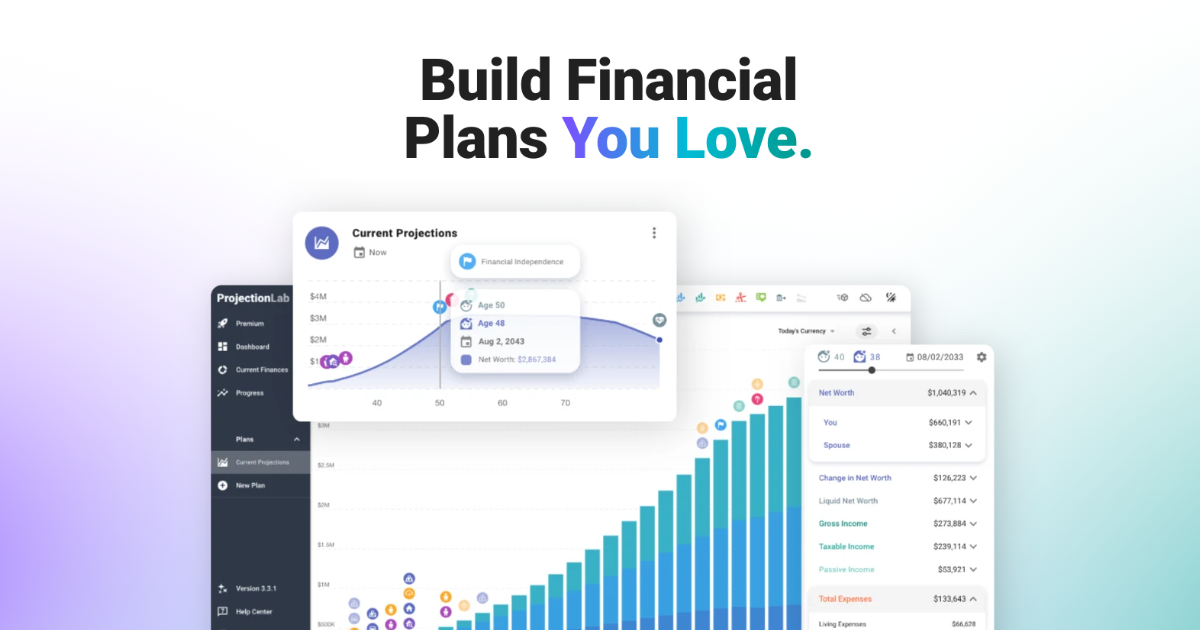
766 pointsTL;DR - ProjectionLab (https://projectionlab.com) is a privacy-friendly personal finance planning tool where you can create financial plans that go beyond the standard online retirement calculators. And by popular request, it now supports self-hosting for Lifetime users!
Something I'm grateful for is that our community here on HN is the difference between PL existing and not. There was actually a time early on when I was one day away from halting work on it. I posted here on a whim, and was shocked to receive some really constructive and energizing feedback that went on to power my indie dev journey over the past two and a half years.
As a quick recap, the story started when I dove head-first down the financial independence rabbit hole. I wanted a hands-on and visual way to explore the trade-offs between different life paths. One thing led to another, and I decided to build ProjectionLab.
After last year's Show HN, I really put my nose to the grindstone, and here are some of the big developments:
- Self-hosting for Lifetime users (spin up your own private deployment, based on Docker Compose, includes support for auth/encryption)
- Cash-flow visualization for each simulated year (sankey charts)
- Tax analytics (detailed breakdowns for projected income, taxes, marginal rates, effective brackets, etc)
- Major redesign of entire app, with landing page and resources now split into separate project
- Filing separately option to improve support for international locations that don't have joint filing
- Roth Conversions and 72t (SEPP) distribution modeling
- Improvements to US tax estimation (Secure 2.0 updates, rental property tax deductions, Medicare + IRMAA, NIIT, principal residence exclusion, etc)
- Better support for planning as a couple
- More modeling options for cash-flow priorities to support different budgeting philosophies and goals
- Extra liquidity + withdrawal options, ability to fund expenses with specific accounts or route income to specific accounts
- Customization options for Monte Carlo simulations (characterization of success rates and outcome types, option to set random seed, etc)
- And a whole bunch more! (https://projectionlab.com/changelog)
The HN community has had a huge role in shaping my overall direction with PL, and I can't wait to hear what you all think of the updates and where you would like to see things go from here.
As always, PL is free to try, with no need to create an account. It does not ask to link your financial accounts, and it has a sandbox mode if you just want to hop in and see how it works.
--Kyle
Comments (288) 77 threads
Earlier commentsSome feedback I have after I signed up and filled out my finances and financial plan:
- It would be nice to somehow get back to the original wizard that I went through when I signed up. Could swear there were some things such as "spend my remaining income" or whatever that I can't seem to find elsewhere in the app. (EDIT: I found this, it's at the bottom of the Plan page, and was a bit hard to find)
- I'd love to be able to export my data even though I agreed to cloud storage. Maybe that conflicts with something about the way that stuff is stored in the cloud, but just being able to download any of the data, even if it isn't all of it, would be nice. Maybe there is a way to do this, but I haven't figured it out.
- Thank you for providing dark mode!
- I don't know what "Starting Cost Basis" is when adding a Roth IRA, and it would be nice to just have a tooltip explaining it; I have a Roth IRA and kinda know what a cost basis is, but honestly have no clue what "starting cost basis" really means or whether it applies to me. Maybe I should know, but this would also be good learning opportunity for users.
Cost basis is irrelevant for Roth IRAs since you don't pay gains tax on them. I wonder why this is being asked?
The sim uses cost basis as how much of the existing $ in there represents your contributions (as opposed to gains), which is useful to know b/c your contributions to a Roth IRA can be withdrawn tax-free and penalty-free. You should see a corresponding category for that in Plan Settings > Drawdown as well.
Love that you support countries other than the US - that's very much appreciated.
What I find when setting up long-term plans like this is that you realize just how much key life decisions affect the outcomes, along with how much uncertainty I have over those life decisions! Being able to explore those permutations is definitely very insightful.
Is there a certain direction you'd like to see me take the tool from here?
Continue this thread — 2 replies
I'm UK Based. I'm looking for a consumer facing replacement for (https://www.timeline.co/) which is buggy and not really meant for non Financial Advisors.
Kicking the tyres of this I'm running into an issue - not sure if this is a forum for bug reports/issues - if you'd prefer it elsewhere (discord?) I'm happy to do that. I've entered my data but my plan is cratering into bankruptcy long before it should.
There are various questions I have about this but for starters, looking at the 'Cashflow' tab it seems that the two 'Assets' (property) that I entered (Fully Owned) seem to be automatically incurring yearly recurring fees. I already accounted for the various charges associated with these properties in my yearly expenses (1 catchall of 'general') but it seems that these assets rather than contributing to my NW are detracting from it by causing yearly expenses in the region of ~3.5% of the value of the asset.
We don't have 'property taxes' in the UK, but this aside I seem to be unable to edit these properties in any way (when I entered them I was able to set estimated yearly appreciation of the asset value - but no way to edit the tax on them at the point on entry and no way to edit anything else relating to them within the 'Assets' tab of 'Current Finances').
Happy to help any debugging and contribute as this looks like a really solid project.
Sounds like you may just need to pay a visit to the Expenses subsection of the House form within the plan interface (Real Assets section beneath the primary chart in the Plan tab).
If you've modeled those externally instead, then you can probably just zero-out the default assumptions for maintenance, insurance, property tax, etc.
Given it's come up twice maybe a UI tweak or prompt might be useful here but I'm loathed to give you any advice to you - this is superb work. Once I have more of a play I'll come back with any further thoughts.
Thanks again
I'm interested in learning more about the self-hosting option. I take it everything is still closed source? Can you share anything about your stack? The front-end is great! What's the scaffold? Is it JavaScript soup to nuts, or Python, or what?
Happy to field any more questions about the stack if you're curious what any of the components are like to work with.
Edit: and here's a little more info on how the self-hosted version works: https://projectionlab.com/help/how-self-hosting-works
All comments shown.
Couldn't load more comments. Check your connection and try again.