Show HN: iFixit created a new USB-C, repairable soldering system (opens in a new tab)hackaday.com
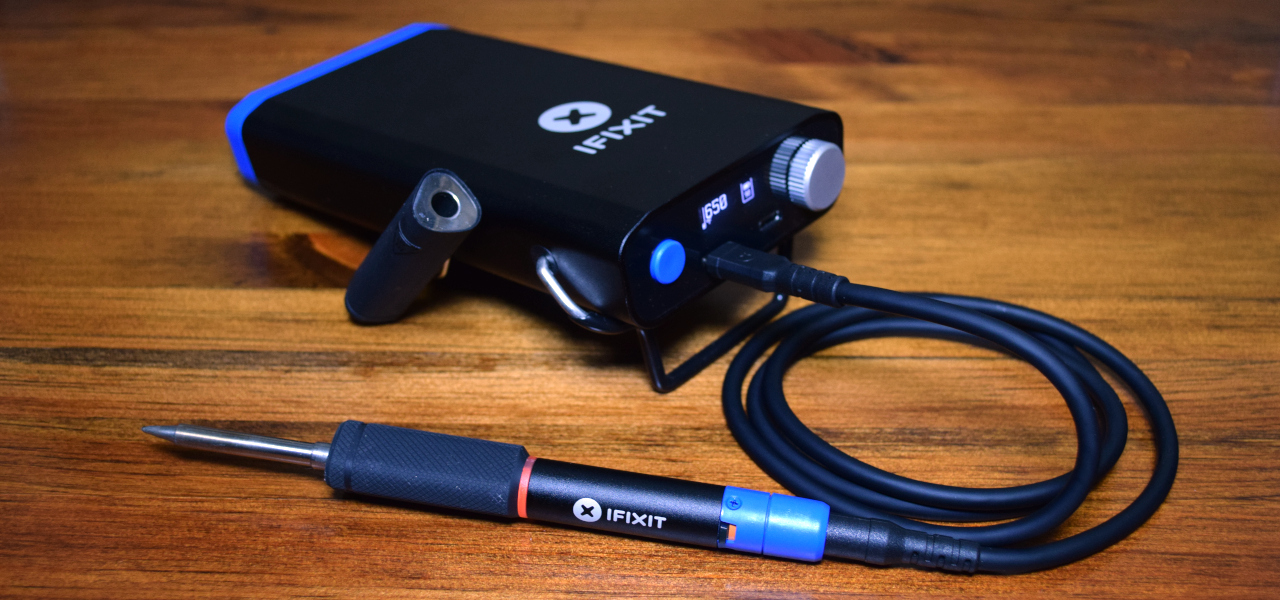
928 pointsIt's a USB-C powered soldering iron and smart battery power hub. Super repairable, of course. Our goal is to make soldering so easy everyone can do it:
https://www.ifixit.com/fixhub
We didn’t want to make just another iron, so we spent years sweating the details and crafting something that met our exacting standards. This is a high-performance iron: it can output 100W of heat, gets to soldering temperature in under 5 seconds, and automatically cools off when you set it down. The accelerometer detects when you pick it up and heats it back up. Keeping the iron at a lower temperature while you’re not soldering shouold prolong the life of the tip.
What’s the difference between this iron and other USB-C irons on the market? Here’s a quick list:
Higher power (our Smart Iron is 100W, competitors max out at 60W over USB-C, 88W over DC Supply)
Heat-resistant storage cap (you just have to try this out, it’s a real game changer in day-to-day use)
Polished user experience
A warranty and a local company to talk to (I can’t find any contact information for Miniware)
Comfier / more natural grip
Shorter soldering tip length
No-tangle, heat-resistant cable
Locking ring on the cable, so it can’t snag and get disconnected (this happens to me all the time on other irons)
More intuitive settings, either on the Power Station or on the computer
We used Web Serial https://caniuse.com/web-serial for the interface, which is only supported in Chromium browsers. The biggest bummer with that is that no mobile browsers support it, yet. Hopefully that changes soon.
Hardware is hard! It's been a journey for us. Happy to answer any questions about how we made it.
Schematics and repair information are online here: https://www.ifixit.com/Device/FixHub_Portable_Soldering_Stat...
Comments (405) 75 threads
Show all comments
Showing thread 4 of 75
I don't want this. I would rather push a button and wait for a light to turn on. Automatic off, fine, I guess, though I don't love it and would never want to rely on it. Automatic on, no way.
Awesome. Thank you!
Other times you just want the equivalent of a drill or toaster. Pull trigger, drill spins. Twist chuck or shift gearbox, it slips or changes speeds. Push toast down, it toasts, twist the dial if you want darker or lighter.
An on/off switch, a potentiometer or 7-segment and some buttons to set temp, and a nice, fast, powerful PID loop to control the temperature (with a 120V AC cable to make 100W all day not a problem) is all I want in a soldering iron. I have a combination soldering/hot air station that's almost 20 years old, it just always works.
How is that worse than it just being full temp the whole time?
And it's going to guess wrong a lot of the time. Automatically turning on and off both have unsafe failure modes that lead to it being on unexpectedly (it turns back on when I don't expect it to, and it doesn't turn off when I do expect it to) based on imperfect sensing hardware and software that can both stop working, and I'm not ok with unsafe failure modes in a device that will burn down my house.
This is also the reason that I disfavor battery-powered soldering irons in general, but at least being portable adds something you may need and can't otherwise achieve.
I've never had it guess wrong -- my hand isn't so steady that it will turn off while I'm using it. If it's on and on the table, it is still visibly ON so this is just extra safety if it's a little bit cooler.