Show HN: iFixit created a new USB-C, repairable soldering system (opens in a new tab)hackaday.com
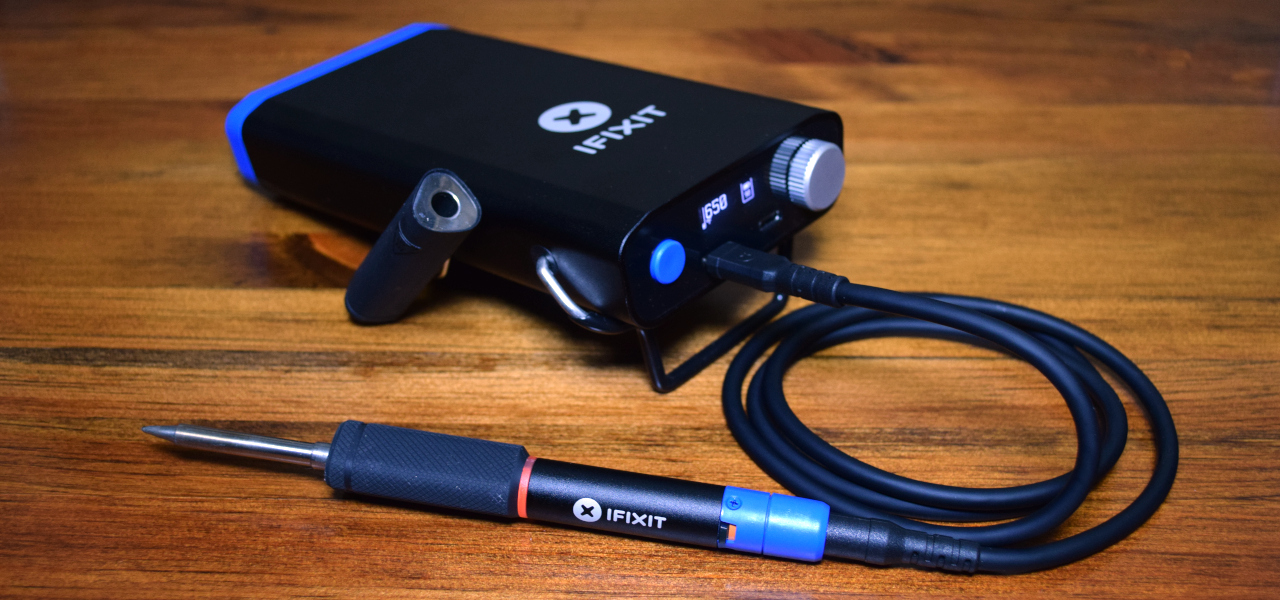
928 pointsIt's a USB-C powered soldering iron and smart battery power hub. Super repairable, of course. Our goal is to make soldering so easy everyone can do it:
https://www.ifixit.com/fixhub
We didn’t want to make just another iron, so we spent years sweating the details and crafting something that met our exacting standards. This is a high-performance iron: it can output 100W of heat, gets to soldering temperature in under 5 seconds, and automatically cools off when you set it down. The accelerometer detects when you pick it up and heats it back up. Keeping the iron at a lower temperature while you’re not soldering shouold prolong the life of the tip.
What’s the difference between this iron and other USB-C irons on the market? Here’s a quick list:
Higher power (our Smart Iron is 100W, competitors max out at 60W over USB-C, 88W over DC Supply)
Heat-resistant storage cap (you just have to try this out, it’s a real game changer in day-to-day use)
Polished user experience
A warranty and a local company to talk to (I can’t find any contact information for Miniware)
Comfier / more natural grip
Shorter soldering tip length
No-tangle, heat-resistant cable
Locking ring on the cable, so it can’t snag and get disconnected (this happens to me all the time on other irons)
More intuitive settings, either on the Power Station or on the computer
We used Web Serial https://caniuse.com/web-serial for the interface, which is only supported in Chromium browsers. The biggest bummer with that is that no mobile browsers support it, yet. Hopefully that changes soon.
Hardware is hard! It's been a journey for us. Happy to answer any questions about how we made it.
Schematics and repair information are online here: https://www.ifixit.com/Device/FixHub_Portable_Soldering_Stat...
Comments (405) 75 threads
Show all comments
Showing thread 9 of 75
Why no boost button (unless I missed it)? That's the one on-iron UI feature I'd be missing - very useful for GND planes. I'm guessing its not a matter of rated power, but just the thermal resistance from the physical size of the tip which restricts heat entering into a heavily-heatsinked joint. Helpful to increase the iron temperature momentarily for such cases. Then again, I can't see heat transfer - happy to be told I'm wrong.
Is this your own tip design or is it the same as the TS80? Can't speak to the TS80 but I've found the TS100 tip quality to be somewhat lacking (I've had tips plainly break off before).
Plus, not having the ability to quickly tune temperature settings on the iron itself seems like a step back as well.
I'd be happy to be proven wrong on these, as iFixit's screwdriver sets were one of those things I needed to use to understand the hype (and then promptly bought my own set), so maybe this is another case of subtle quality you have to see for yourself?
But that may not be for everyone: With the Power Station, changing the temperature is fast and easy with the dial, so you can pick a workflow that works best for you. (You can also change the temperature with the web interface.)
I'm really happy with their quality, but you'll have to judge that for yourself.
We're handling the boosting automatically in software. When the iron detects that it's under load, it maxxes out the power to the tip. It's incredibly responsive.
You're right, where you want that is with high thermal mass objects like ground planes. The difficult part is getting enough of a thermal bridge onto the material to really let the iron rip. It can dump a lot of power into a joint.
No doubts then on the tip quality - I've seen the rest of your stuff (good).
The instant that the iron detects that it's under load, it pours power into the heating element. That makes it feel and perform like a much more powerful iron. We're dynamically responding to the power load and flowing heat into the material.
Continue this thread — 2 replies