Lurker News
I wanted to find a way to use Instagram without ending up scrolling for two hours every time I open the app to see a friend's story.

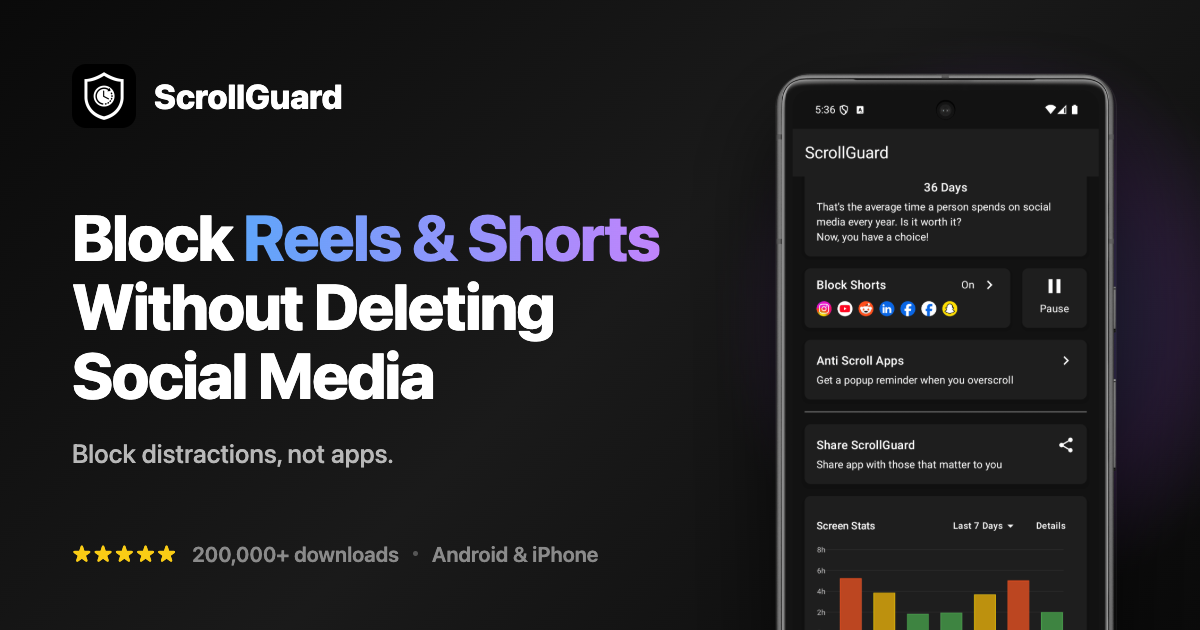
Most screen time apps I found focus on blocking the app itself instead of the addictive feed, so I created this app to allow me to keep using the "healthy" and "social" features and block the infinite scrolling (Reels)
After implementing the block on Instagram Reels, I got addicted to YouTube Shorts and Reddit feed. So, I extended the app to cover these as well.
To avoid replacing the scrolling for regular feeds, I also added a feature that shows a pop-up when I'm overscrolling in any app. It forces me to stop and think for a minute before I continue scrolling.
I built it on Android Studio, using Kotlin and Jetpack Compose for the UI. I use the Accessibility Service to detect scrolls and navigate out of them. Unfortunately, this only works for Android. There is no way (as far as I know) to do this on iOS.
I'd love to hear your thoughts
Comments (305) 90 threads

Earlier comments
herf1 reply#
Thank you for doing this - I think there are two lines in the sand that a true "user agent" would allow us to set:

1. Don't show recommended content at all--I want to view only the content I've specifically asked for (or searched for) in this session
2. Recommend only content that I've chosen (e.g., by following), where there is a finite amount of it
You'd like such things to be part of the basic wiring of your device, though writing an app to regulate how other apps work is often not easy to implement today, so efforts like this are super valuable. What if a device could look after your attention and ensure you have the motivation to do other things?
Another way these kinds of switches could get built by requiring them as child safety features, like "Watch the YouTube video for school, but don't get an assault of Shorts after" or "See the single TikTok your friend sent, but don't spend five hours scrolling after"
It's pretty clear "willpower" does not suffice.

nkydr0i0#
I agree.

Think of willpower as a finite resource. It's simply not feasible to rely on it solely. You need to build the world you want to live in. (Set yourself up for success)

thinkling5 replies#
Instagram tip: if you click the wordlogo “Instagram” at the top (in the mobile app), you can select “Following” and get a feed of only posts from accounts you follow, with no suggested posts and no reels.

I end up going through that feed in a few minutes and it insulates me from the endless scrolling.

qgin#
THANK YOU
wtk1 reply#
Can you set this as default?
willdelorm#
You can't, and I've watched as they've added/removed UI to indicate that you can even press it. I'm glad the feature is there, but it's clear Meta doesn't want you finding it.
vlachen#
Also works on the mobile page.

The other thing possible is to block certain post types with uBlock origin, on desktop or mobile:

  www.instagram.com##article:has-text(Suggested for you):style(visibility: hidden !important; height: 300px !important; overflow: hidden !important)
  www.instagram.com##article:has-text(Because you liked a post):style(visibility: hidden !important; height: 300px !important; overflow: hidden !important)
adrianhacar#
I didn't know this one, thanks!
Digit-Al#
Facebook mobile tip: if you click on the burger menu and select "Feeds" you will be taken to a page with a list of different feeds at the top. If you then select the "Friends" tab you will see only posts from your friends. Doesn't get rid of ads, unfortunately, but it does get rid of all the crap from recommended pages, etc...
bfoks#
Rather hard to sell it here to people who are (mostly) capable to install Tampermonkey and add one line rule.
internet_points1 reply#
which sites does this work with?
abyesilyurt#
just youtube
j10005 replies#
How this is possible for iOS? Can someone share technical details on this iOS implementation? IMO this cannot be done without validating user privacy and giving app some crucial screen reading permissions.
yc_user01#
The answer is jailbreak or sideloaded modified ipas.
boberoni#
It’s currently Android only. There is a waitlist on their website for the iOS version.
coffeecoders#
Yeah, this is not possible in iOS because there is no equivalent of Accessibility services for apps to control other apps behavior.

Not sure what OP is running waitlist for, my guess is a combination of screen time + focus modes + content blockers in Safari.

adrianhacar#
For Android I did it using the Accessibility Service API, iOS doesn't provide any similar API, the platform itself is much more restricted. So I think is technicaly not possible
anteloper#
You can't take the same approach on iOS but to Apple's credit, they do a great job with user privacy with their Screen Time permission. Apps with that permission get the ability to restrict other apps on the phone without ever knowing what they are. They can even report data back to the user without ever knowing that data.

Source: I am a developer of Clearspace, which is an iOS Screen Time App https://apps.apple.com/us/app/clearspace-reduce-screen-time/...

Load more comments