Lurker News
I wanted to find a way to use Instagram without ending up scrolling for two hours every time I open the app to see a friend's story.

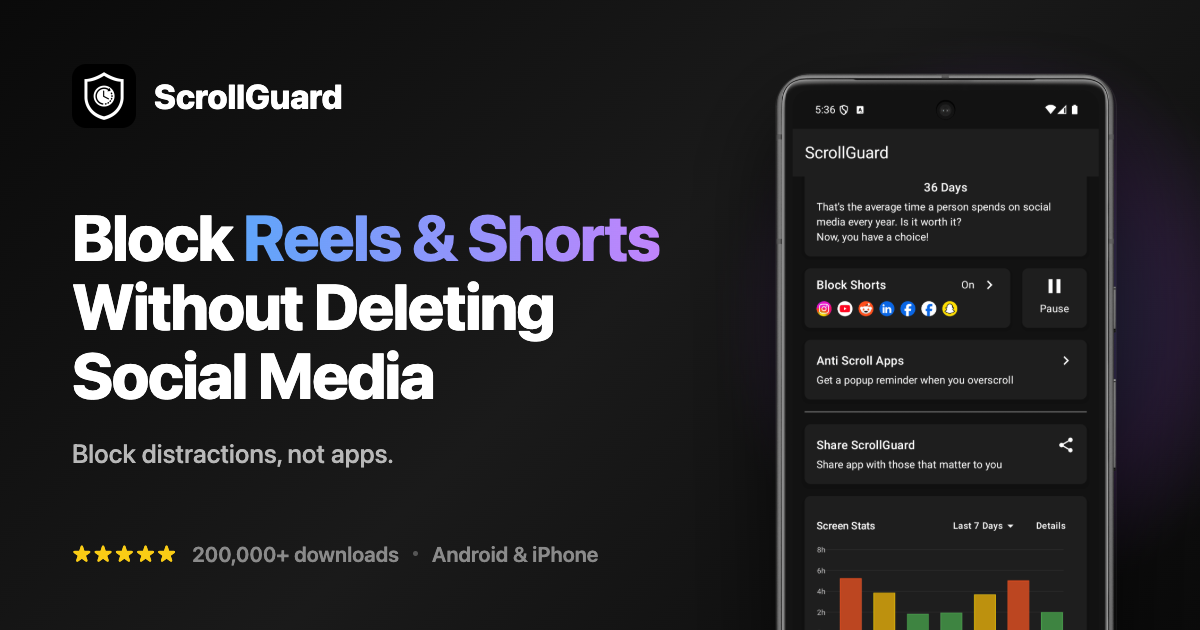
Most screen time apps I found focus on blocking the app itself instead of the addictive feed, so I created this app to allow me to keep using the "healthy" and "social" features and block the infinite scrolling (Reels)
After implementing the block on Instagram Reels, I got addicted to YouTube Shorts and Reddit feed. So, I extended the app to cover these as well.
To avoid replacing the scrolling for regular feeds, I also added a feature that shows a pop-up when I'm overscrolling in any app. It forces me to stop and think for a minute before I continue scrolling.
I built it on Android Studio, using Kotlin and Jetpack Compose for the UI. I use the Accessibility Service to detect scrolls and navigate out of them. Unfortunately, this only works for Android. There is no way (as far as I know) to do this on iOS.
I'd love to hear your thoughts
Comments (305) 90 threads

Show all comments

Showing thread 6 of 90

thinkling5 replies#
Instagram tip: if you click the wordlogo “Instagram” at the top (in the mobile app), you can select “Following” and get a feed of only posts from accounts you follow, with no suggested posts and no reels.

I end up going through that feed in a few minutes and it insulates me from the endless scrolling.

qgin#
THANK YOU
wtk1 reply#
Can you set this as default?
willdelorm#
You can't, and I've watched as they've added/removed UI to indicate that you can even press it. I'm glad the feature is there, but it's clear Meta doesn't want you finding it.
vlachen#
Also works on the mobile page.

The other thing possible is to block certain post types with uBlock origin, on desktop or mobile:

  www.instagram.com##article:has-text(Suggested for you):style(visibility: hidden !important; height: 300px !important; overflow: hidden !important)
  www.instagram.com##article:has-text(Because you liked a post):style(visibility: hidden !important; height: 300px !important; overflow: hidden !important)
adrianhacar#
I didn't know this one, thanks!
Digit-Al#
Facebook mobile tip: if you click on the burger menu and select "Feeds" you will be taken to a page with a list of different feeds at the top. If you then select the "Friends" tab you will see only posts from your friends. Doesn't get rid of ads, unfortunately, but it does get rid of all the crap from recommended pages, etc...