Lurker News
I wanted to find a way to use Instagram without ending up scrolling for two hours every time I open the app to see a friend's story.

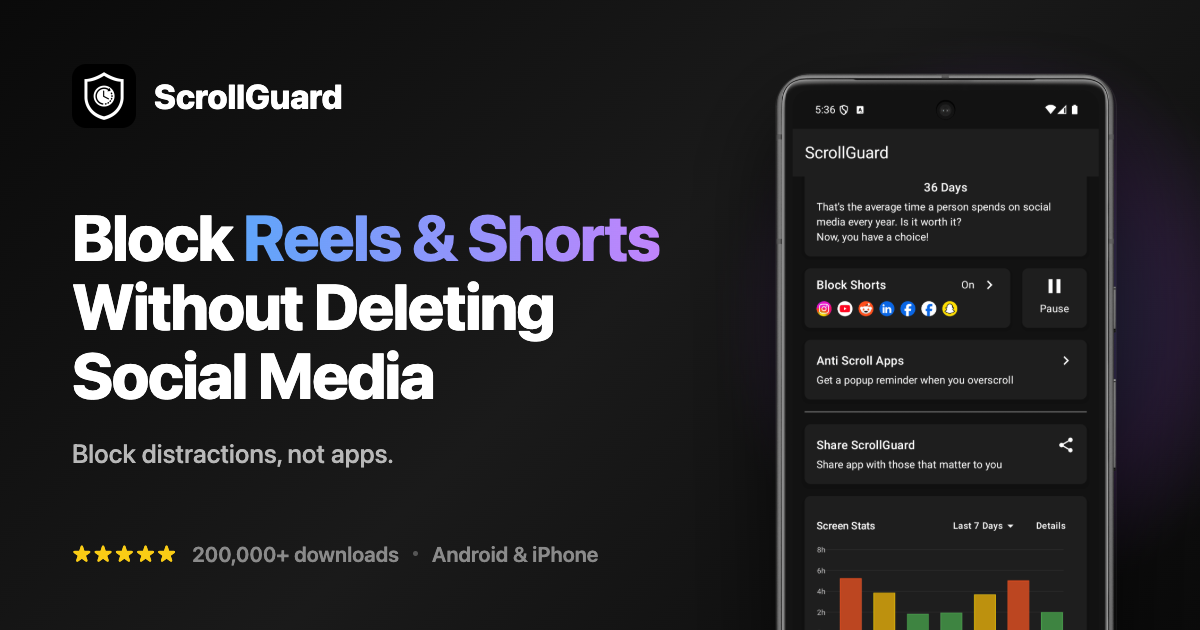
Most screen time apps I found focus on blocking the app itself instead of the addictive feed, so I created this app to allow me to keep using the "healthy" and "social" features and block the infinite scrolling (Reels)
After implementing the block on Instagram Reels, I got addicted to YouTube Shorts and Reddit feed. So, I extended the app to cover these as well.
To avoid replacing the scrolling for regular feeds, I also added a feature that shows a pop-up when I'm overscrolling in any app. It forces me to stop and think for a minute before I continue scrolling.
I built it on Android Studio, using Kotlin and Jetpack Compose for the UI. I use the Accessibility Service to detect scrolls and navigate out of them. Unfortunately, this only works for Android. There is no way (as far as I know) to do this on iOS.
I'd love to hear your thoughts
Comments (305) 90 threads

Earlier comments
amatecha3 replies#
You could also save yourself a lot of effort (and avoid being the constant subject of manipulation and exploitation) and not use centralized, capitalistic platforms like Instagram. Try Pixelfed ( https://pixelfed.org/ ) or something.
AuthAuth1 reply#
When it feels like you constantly have to fight against the platform to try and scrap together a usable experience maybe its time to consider why you even use that platform. pixelfed is great and its such a breathe of fresh air compared to instagram.
allemagne#
It's a fair ask, my honest considerations:

- Tiktok: "I don't want or need this" -> Delete forever.
- Pixelfed: "I don't want or need this" -> Don't install.
- Instagram: "Still get a ton of value from seeing updates come in from family, don't want the option of getting deep into reels" -> Strict daily timer.
- YouTube: "Still get a ton of value from the network of content published to the platform consistently, don't want the option of getting deep into shorts" -> ??? self control.
The dilemma I have with YouTube feels like exactly what the OP's app is intended to solve.

sbarre#
Not OP but... The universal answer to this somewhat cliche and paternalistic comment is always "but that's where my people are"..

And I want to be where my people are. So I choose to make informed trade-offs.

nosioptar#
For those times when you need/want to see an Instagram post, imginn.com is 10,000 times better than Instagram (assuming the account isn't private).
mike24dzy1 reply#
Finally!! Please find a way to make it work on iOS! Or I’ll switch to use android to use your app
antonvs#
Google's ears just pricked up
business_liveit1 reply#
Nice work! Using the Accessibility Service for scroll detection is a clever approach. I imagine keeping it lightweight while monitoring multiple apps could be tricky — did you run into performance or battery usage issues while testing?
adrianhacar#
Thanks! I haven't seen any issue with battery or performance. But if you find any problem, feel free to drop me an email and I'll take a look
ckrailo#
Here's what I added to uBlock:

  ! YouTube
  ! Remove blue box
  www.youtube.com###clarify-box
  ! Remove shorts
  www.youtube.com##ytd-rich-section-renderer.ytd-rich-grid-renderer.style-scope:has(#rich-shelf-header:has-text(Shorts))
  www.youtube.com##ytd-reel-shelf-renderer.ytd-item-section-renderer.style-scope:has(h2.ytd-reel-shelf-renderer.style-scope:has-text(Shorts))

Load more comments