Show HN: Micasa – track your house from the terminal (opens in a new tab)micasa.dev
657 pointsI built it because I was tired of losing track of everything in notes apps, and "I'll remember
that"s. When do I need to clean the dishwasher filter? What's the best quote for a complete
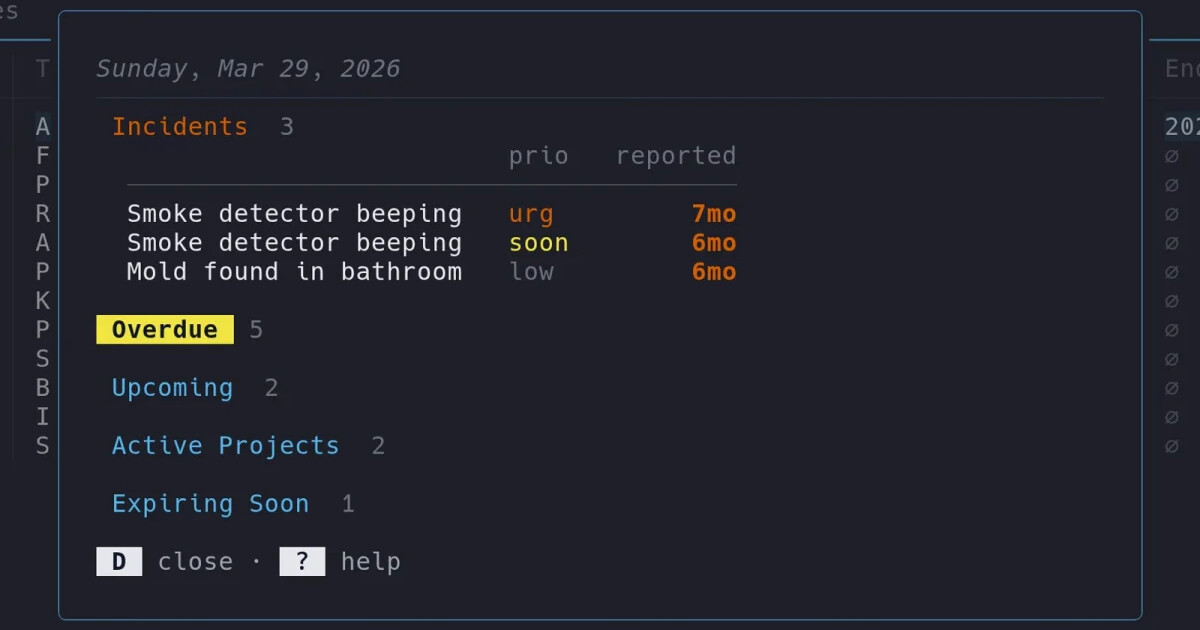
overhaul of the backyard. Oops, found some mold behind the trim, need to address that ASAP. That
sort of stuff.
Another reason I made micasa was to build a (hopefully useful) low-stakes personal project where
the code was written entirely by AI. I still review the code and click the merge button, but 99%
of the programming was done with an agent.
Here are some things I think make it worth checking out:
- Vim-style modal UI. Nav mode to browse, edit mode to change. Multicolumn sort, fuzzy-jump to
columns, pin-and-filter rows, hide columns you don't need, drill into related records (like
quotes for a project). Much of the spirit of the design and some of the actual design choices
is and are inspired by VisiData. You should check that out too.
- Local LLM chat. Definitely a gimmick, but I am trying preempt "Yeah, but does it AI?"-style
conversations. This is an optional feature and you can simply pretend it doesn't exist. All
features work without it.
- Single-file SQLite-based architecture. Document attachments (manuals, receipts, photos) are
stored as BLOBs in the same SQLite database. One file is the whole app state. If you think
this won't scale, you're right. It's pretty damn easy to work with though.
- Pure Go, zero CGO. Built on Charmbracelet for the TUI and GORM + go-sqlite for the database.
Charm makes pretty nice TUIs, and this was my first time using it.
Try it with sample data:
go install github.com/cpcloud/micasa/cmd/micasa@latest && micasa --demo
If you're insane you can also run micasa --demo --years 1000 to generate 1000 years worth of
demo data. Not sure what house would last that long, but hey, you do you.
Comments (218) 83 threads
Show all comments
Showing thread 46 of 83
When you edit an ID column, it opens a form editor to edit the entire row at once.
The thinking was to make all columns editable _in some way_, but ID columns are autogenerated and thus not designed to be directly manipulated.
I thought: since the ID represents a unique entity, in this case document, then it made some sense to make editing that editing the whole row.
That said, this is a bug even with the explanation I just gave: editing on the ID column of Docs doesn't show all the row's data in the form. Will fix that shortly.