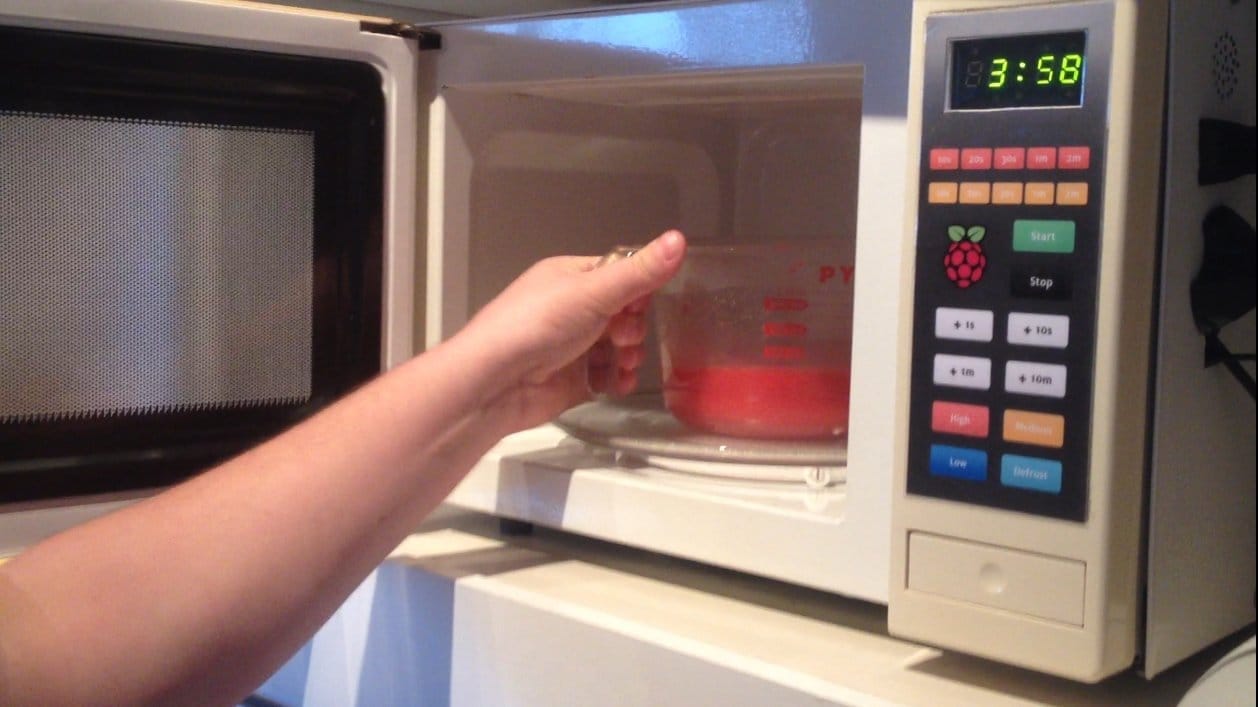
My mothers microwave has a pretty bad UI. You cant just start punching numbers and start - you must first select from a grid of vague looking icons - and then specify the time. I got used to it after a couple visits but I was left scratching my head in the beginning.
As an example, amongst the buttons on our old microwave:
* a picture of a whole chicken * one ice cube * two ice cubes * something that might have been a burger or a slice of bread * 3 x straight lines * 3 x wavy lines Never being sure, I ignored all of those buttons. But even the basic 'set a time, a power and go' method was awful. * Choose a power. There was no default. You had to do this before you'd set the time, or the time would reset back to 0. * Turn a wheel which increases the time. The first two minutes increment 1 second. After that they increment in 10 seconds. So to get to 5 minutes, you had to spend ages turning it. * Press 'Go'. Next to the 'Go' button there was a 'Cook' button, which reset everything. There was a defrost mode, which seemed to heat the contents for 2 minutes and 10 seconds (couldn't change the time). The results were identical to just heating it on full power.
We must have had the exact same microwave!
If it was the same however you missed one more thing that I found really annoying. It makes a beep every time you make an action - so the whole time you're choosing the amount of time turning the wheel it will be beeping over and over.
Horrible design. Furthermore when the timer reaches 0 it will do 5 very long beeps to alert you and then keep beeping every minute until you take the item out. If you instead want to just cancel before the timer gets to 0 then you must press cancel twice making more beeps. It was still better so I found myself standing by the microwave so that I could turn it off in time. It made midnight snacks impossible without waking everyone up.
My solution was to open up the microwave and (after shorting the capacitor) I removed the damn beeper. I still have that microwave today and while it's still a terrible user interface it brings me happiness each day when I hear the microwave finish cooking something without beeping.
As someone with a passion for good UI, this is infuriating. We've had microwaves for 50 years; their UI should be solved by now. After a half-century, we should have a standard set of controls that are simple, intuitive, efficient, and forgiving.
Instead, we all have stories like this about microwaves with dials, modes, stages, levels, pre-programmed jobs, and recipe databases, but that lack a simple way to microwave something for 30 seconds! I assume this is because every microwave designer wants to invent some new feature they can tout on the box. I have often fantasized about enacting a law that requires designers of new interfaces to be forced to use said interfaces in their personal lives for a month. Hopefully this would promote better design; alternatively, it could be used as a form of penance.
As you say, microwaves are sold on the number of features they offer. I guess every 'program' is an extra feature (even though it's just a preset time and power). And if you have enough programs, then nobody will need the manual controls, so they don't need to be easy to use. At least, that's how the mind of microwave designers seems to work.
In reality, most food that you want to microwave has precise instructions on it, so I really only need quick and easy to use manual controls. Some ideas for my ideal microwave (should any manufacturers be reading): * Small camera with OCR that can read the instructions and program accordingly * Thermometer which checks whether the food is ready. * A way of mixing the food, instead of relying on me to stop it halfway through and do it manually. * Cover which goes over the food automatically, so I don't realise I forgot only when there's a load of food baked onto the top. * Something which cooks the food without heating the container to an untouchable heat.
A camera+OCR would be so painfully less reliable than a QR code or even a traditional barcode, either of which could represent a short string that could contain a power level, heating/standing times, and wait characters (like the special pause/wait characters traditionally supported by cell phones). It would take some hefty marketing muscle for a manufacturer to get the ball rolling for including this on food packages, though. Perhaps there's a professional organization within the food/appliances industry that could make this happen.
I think microwaves are fine. It's just like any other white goods. From the lower-to-mid ranges they are utilitarian and reliable. Like you say, the customer's mistake was to obtain a high end model, which features these embellishments to merely justify the cost.
I think that the best microwave UI is just two analog knobs. One for power level (although it would be nice to get rid of this as well, but some packaged foods ask to be cooked at 50% power for part of the time), and one for cooking time which also starts the cooking if the door is closed. Turn the nob to whatever time you want and it starts cooking. If you want to stop cooking before time is up, you can either turn it back to 0 or just open the door.
In Japan the UIs are decent and Microwaves are automatic : you dont have the set the time unless you really want to, they auto-adjust themselves and detect what they are cooking up.
My grandma microwave (that was supposed to be shiny new cool awesome microwave) had no keyboard, all numbers were input with a stupid knob that you would turn forever.
But even worse, it would only work if you input the desired time and power... AND YOU HAD TO PRESS BUTTONS FOR THOSE. Yes, neither of them were default, you had to seek for a "time" button, press it, then turn the knob, then seek the power button, press it, turn the knob, and if you did it wrong it would get into some weird states of waiting for a certain input that it was not clear what it wanted, and it was not clear how you could cancel it (it does have a cancel button, but it took me a while to realize I had to press it several times in a row to reset the thing so I could try again). The microwave is so annoying that in the end I gave up and don't used it anymore, I only relied on food that was palatable without heating, or I used the old fashioned fire. EDIT: I remembered another one: also had no number pad, instead it featured the following buttons (that required some good force to register a press): +5 seconds, +10 seconds, +30 seconds. Wanted to make a lasagna that take 16 minutes? Good luck.
Almost all food that I microwave also needs a power adjustment. So I'd add a Power button and a Time button to your list, and I wouldn't require user do power before time or vice versa; and power would default to 100%. But I love his barcode/database approach even better!
Mine has all kinds of buttons that never get used...under the hood. Outside of the door it thankfully has buttons for 1 Minute, Start, and Stop. Very nicely done.
My parents had one that required you to press time, 1, 0, 0, start, to run it for one minute on the default setting. Each button press has an annoying beep. It makes one loud beep after it finishes, and if you don't open the door in 30s it will CONTINUOUSLY make that loud annoying beep until you do.
At my high school, the microvate had the standard 0-9 numberpad and a start button. If you push the one of the lower numbers (I think between 1 and 5), the microwave would start cooking for that number of minutes. The other numbers had different pre-programed actions. One of those actions was (fortuantly) timed cook, which would then let you put the time in normally and press the start button.
Its not as annoying as it sounds. Just decide how long you want to cook for, subtract that number from 5, hit the '5' button, and open the microwave when the countdown clock gets to the number you calculated earlier.
Comments (110) 32 threads
Show all comments
Showing thread 1 of 32
* a picture of a whole chicken
* one ice cube
* two ice cubes
* something that might have been a burger or a slice of bread
* 3 x straight lines
* 3 x wavy lines
Never being sure, I ignored all of those buttons. But even the basic 'set a time, a power and go' method was awful.
* Choose a power. There was no default. You had to do this before you'd set the time, or the time would reset back to 0.
* Turn a wheel which increases the time. The first two minutes increment 1 second. After that they increment in 10 seconds. So to get to 5 minutes, you had to spend ages turning it.
* Press 'Go'.
Next to the 'Go' button there was a 'Cook' button, which reset everything.
There was a defrost mode, which seemed to heat the contents for 2 minutes and 10 seconds (couldn't change the time). The results were identical to just heating it on full power.
My solution was to open up the microwave and (after shorting the capacitor) I removed the damn beeper. I still have that microwave today and while it's still a terrible user interface it brings me happiness each day when I hear the microwave finish cooking something without beeping.
Continue this thread — 2 replies
Instead, we all have stories like this about microwaves with dials, modes, stages, levels, pre-programmed jobs, and recipe databases, but that lack a simple way to microwave something for 30 seconds!
I assume this is because every microwave designer wants to invent some new feature they can tout on the box. I have often fantasized about enacting a law that requires designers of new interfaces to be forced to use said interfaces in their personal lives for a month. Hopefully this would promote better design; alternatively, it could be used as a form of penance.
In reality, most food that you want to microwave has precise instructions on it, so I really only need quick and easy to use manual controls.
Some ideas for my ideal microwave (should any manufacturers be reading):
* Small camera with OCR that can read the instructions and program accordingly
* Thermometer which checks whether the food is ready.
* A way of mixing the food, instead of relying on me to stop it halfway through and do it manually.
* Cover which goes over the food automatically, so I don't realise I forgot only when there's a load of food baked onto the top.
* Something which cooks the food without heating the container to an untouchable heat.
Continue this thread — 1 reply
Continue this thread — 11 replies
Continue this thread — 1 reply
But even worse, it would only work if you input the desired time and power... AND YOU HAD TO PRESS BUTTONS FOR THOSE.
Yes, neither of them were default, you had to seek for a "time" button, press it, then turn the knob, then seek the power button, press it, turn the knob, and if you did it wrong it would get into some weird states of waiting for a certain input that it was not clear what it wanted, and it was not clear how you could cancel it (it does have a cancel button, but it took me a while to realize I had to press it several times in a row to reset the thing so I could try again).
The microwave is so annoying that in the end I gave up and don't used it anymore, I only relied on food that was palatable without heating, or I used the old fashioned fire.
EDIT: I remembered another one: also had no number pad, instead it featured the following buttons (that required some good force to register a press): +5 seconds, +10 seconds, +30 seconds. Wanted to make a lasagna that take 16 minutes? Good luck.
Clearly designed by an evil bastard.
Continue this thread — 1 reply
Its not as annoying as it sounds. Just decide how long you want to cook for, subtract that number from 5, hit the '5' button, and open the microwave when the countdown clock gets to the number you calculated earlier.