Show HN: Heynote – A dedicated scratchpad for developers (opens in a new tab)heynote.com
1063 pointsHey!
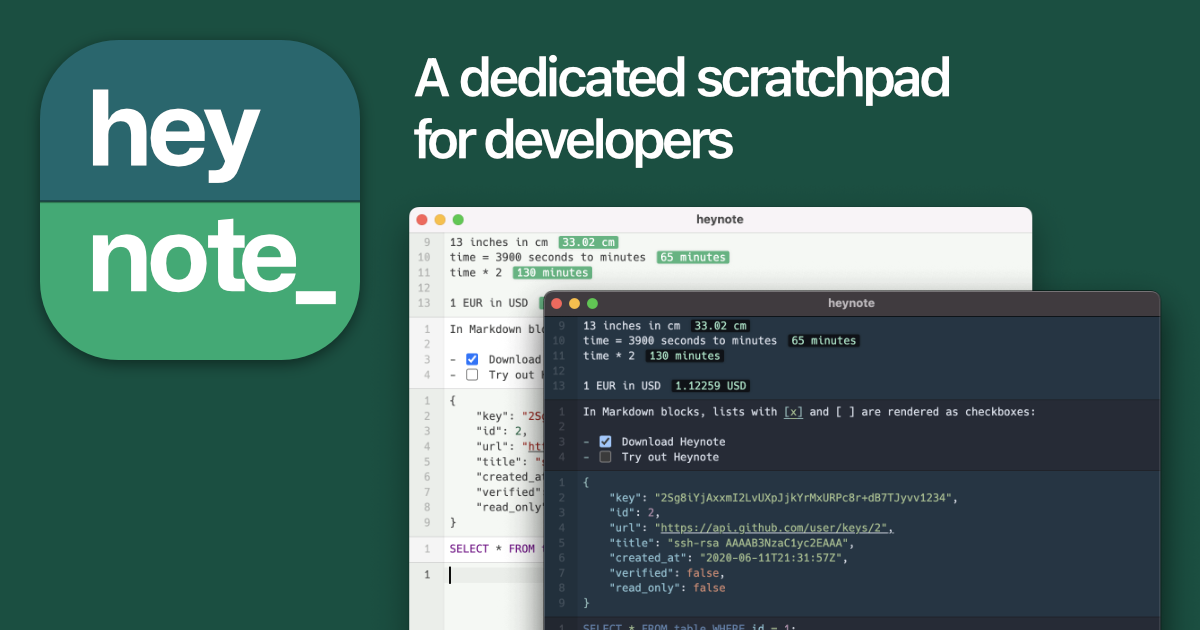
I made Heynote entirely for my own use case. For many years, I always had an Emacs instance running with the scratch buffer open, even long after I had abandoned Emacs as my programming editor in favor of more recent IDE:s.
The simplicity of having just one big scratch buffer appeals to me, but I still want to separate the different things I jot down somehow (without using tabs or similar). Previously, my solution was to insert a bunch of blank lines between the notes, but hitting C-A would still select the entire buffer. That's why I came up with the concept of "blocks", which turned out really well for my use cases.
I decided to release Heynote, thinking it might be useful to others.
Comments (303) 149 threads
My feature request to add to your pile (possibly a lonely one, since maybe it's just unique to how my brain works):
I really want a scratch pad like this to have UX that supports "inverted" order. Meaning, new blocks get added to the top of the page instead of the bottom. The blocks naturally flow in descending order of creation rather than ascending. The scratch pad always opens at the top of the page. Over time, blocks thus end up "decaying" toward the bottom, with the most relevant at the top.
It just fits better with how my brain works.
I also +1 the sentiment given elsewhere in this thread to bias toward ignoring the vast majority of these feature requests and preserve the simplicitly of what you've built. That includes mine!
I get the idea of the "inverted order". I wonder if it would be enough to make it configurable so that C-Enter inserts a new block before the current one + Heynote sets the cursor at the beginning of the buffer at startup (instead of last which is the current behavior)?
(Sorry if this is how it already works, I’m on my phone right now, so I can’t download it, but I’m very interested in the block idea. I like that concept a lot for a scratch pad. I’m definitely saving this for later.)
My two cents on block insertion: Personally, I would love if Cmd+Enter inserts a new block at the very top
For inserting a new block in sequence, I feel like Cmd+Shift+Enter (splitting the current block) might already be enough - but I obviously haven't used heynote for long enough to have a very informed opinion on this :)
Maybe there's some way to make the behavior configurable?
Continue this thread — 1 reply
It's not the .app domain so much as the functionality. Web apps are nicer and easily accessible imo, lower friction than an install. Not everything should need an install.
The perfect UX would be to add a new buffer at the top, but with enough padding to fill the window so that you can't see the movement of previous blocks while you're typing.
(Maybe this is already kinda how it works - I haven't downloaded the app yet, but I'm excited to try it, because it looks great!)
Uhm... They don't move. They stay the same distance, relative to your line. As you add more lines, they'll disappear below the fold.
https://github.com/coezbek/rodo
- vi bindings
- show me where the file is so I can move it around, sync it across machines, back it up, etc.
- the inverse order stuff
It's really really good. thank you.
I see lots of comments about Electron (per usual here haha) and I just thought I’d shout out Tauri if you hadn’t run across it. It’s basically Electron-but-in-Rust and uses the system webview instead of Chromium, so bundle size and memory usage is reduced a bunch.
I took a look at the code and it looks like you haven’t got a ton of Electron-side code so if you felt like playing with Rust it might not be too hard to swap. I have a video editing app that I started building with Electron and then switched to Tauri midway and it’s been pretty nice.
I hope it’s clear this isn’t a request and please feel free to disregard this comment entirely :)
I wish there was a way to build a stripped-down Electron, like a configurator where you could uncheck things you don't need. Printing support? WebGPU? WebRTC? Video playback? PDF reader? Straight to jail. It would be lovely. I'd love to see what would happen to the bundle size.
There's a lot of functionality you can access from JS without needing to get into Rust, but on the Rust side Tauri has this notion of "commands" for calling Rust from the UI.
You can write a Rust function and annotate it with #[tauri::command], and register it, and then you can call it from the JS side with invoke('your_command_name', args). Those commands can be async too, so you can do blocking work on the Rust side and the UI won't freeze.
You can inject State variables into those commands, which get injected at call time and are effectively global to the Rust side. I would say the State stuff is a bit unergonomic in that you run up against needing to share them between threads, so everything inside them needs to be Arc> and writing those wrappers was boilerplatey.
I wish the JS <-> Rust calling overhead were lower. It serializes everything to JSON and back, so I try to avoid too many calls, and try to avoid sending lots of data between them.
I've started using Obsidian with a new note for each day and separating "blocks" with a Markdown horizontal rule (`---`) to achieve something similar, but this is much cleaner.
The strength of such an approach is making capture extremely easy -- new block, start writing, no thinking about where this goes and how to fit it into pre-existing structure. I find that if I'm trying to do that, then by the time I find where my idea goes, I've lost the idea.
The downside, of course, is finding things again. The ability to tag or title a block and search by tag or title would be great. More ambitiously, it would be cool to experiment with incorporating LLMs and embeddings to automatically tag, summarize, categorize, cluster etc. your blocks.
There's a lot of different directions one could take this, but I'll echo the sentiment of others to refrain from adding too many features and losing the original appeal of simplicity. :)
Also: How do you handle performance when the buffer gets very large?
open source doesn't mean source code is there. open source has a specific definition. There is a list of acceptable open source licenses, as defined by OSI. similarly there is a list of acceptable free software licenses, as defined by FSF. Broadly, the two lists are the same. Commons Clause is definitely not open source.
Continue this thread — 2 replies
All comments shown.
Couldn't load more comments. Check your connection and try again.