Show HN: Heynote – A dedicated scratchpad for developers (opens in a new tab)heynote.com
1063 pointsHey!
I made Heynote entirely for my own use case. For many years, I always had an Emacs instance running with the scratch buffer open, even long after I had abandoned Emacs as my programming editor in favor of more recent IDE:s.
The simplicity of having just one big scratch buffer appeals to me, but I still want to separate the different things I jot down somehow (without using tabs or similar). Previously, my solution was to insert a bunch of blank lines between the notes, but hitting C-A would still select the entire buffer. That's why I came up with the concept of "blocks", which turned out really well for my use cases.
I decided to release Heynote, thinking it might be useful to others.
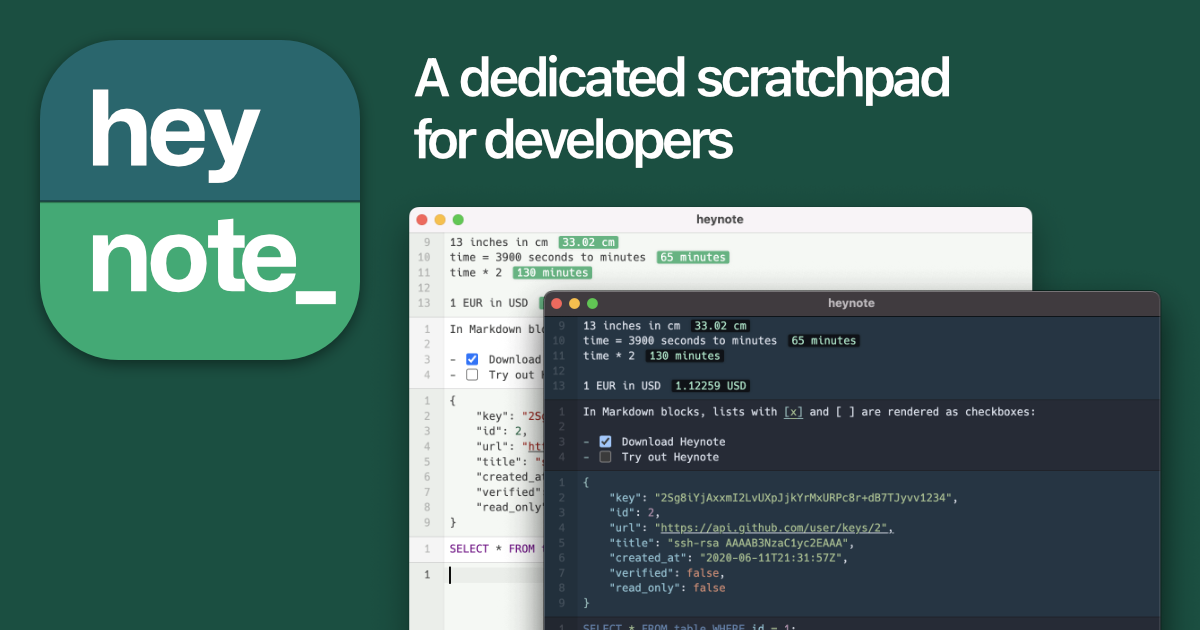
Comments (303) 149 threads
Earlier comments⌘ + L Change block language
The phrase block language didn't trigger my "change the type of block" thinking. I might slightly rephrase like:
⌘ + L Change block language (Math, Markdown, etc.)
Otherwise, I think this is a great "scratches an itch" type project. Congrats!
It can be difficult to figure out why some lines are interpreted ok and while others fail.
How to convert between fahrenheit and celsius?
Math.js (https://mathjs.org/) powers the Math blocks, so what's supported by Math.js should be supported by Heynote, with the addition of currency conversions (exchange rates are updated daily).
> How to convert between fahrenheit and celsius?
This should work:
Continue this thread — 2 replies
So a collapse button on every block would be nice.
I love this. Thank you.
Continue this thread — 1 reply
Feature requests: - arch package
- would really like the results of the math to be in buffer.txt and in Ctrl+a and copy.
- changing font and color theme(I like the Nord one right now though!) Please keep it minimally colored as it is now so that changing color is just a simple matter of configuring a handful of colors as opposed to custom css. That would make it too complicated.
- support for images and media in markdown blocks would be nice to whatever extent possible. I would love it if you could copy the way vscode markdown works. Ctrl+v an image in the editor and it inserts the markdown for it and saves the image to a file. Markdown preview would be nice but I understand if you think that's out of scope.
- timestamp for blocks. especially would be nice if you could store createdAt updatedAt in the line with the infinity symbols in buffer.txt to make it easily extractable using grep and cut.
- saw that you mentioned downthread that you're working on reloading the file so that we can back it up with git or whatever. Would love that!
- is mobile possible? Through Cordova or something
Thanks for making this!
This would enable using fancy CSS for some notes.
Saw you mentioned below that you were planning to add a pwa + local storage version. In that case you can disregard my mobile request, and replace it with a download button on mobile so we can sync it to our desktop through git or drive or something.
Adding the results to lines that are copied from Math blocks should be doable, and I like that idea! I agree that it would also be nice with the results in buffer.txt, but because of implementation details it's harder to implement I think.
> changing font and color theme
At the moment, I'm leaning towards keeping the number of configurable settings down and not add have font color theme settings.
> timestamp for blocks. especially would be nice if you could store createdAt updatedAt in the line with the infinity symbols in buffer.txt to make it easily extractable using grep and cut.
yes, this is on the TODO
> saw that you mentioned downthread that you're working on reloading the file so that we can back it up with git or whatever. Would love that!
Yes, this too :)
> is mobile possible? Through Cordova or something
Probably not :/
Alright, if you ever lean the other way a tad bit, please allow configuration of fonts, I can try to contribute that feature next week. I don't mind fixed colors nearly as much.
>> is mobile possible? Through Cordova or something
> Probably not :/
Understandable. Check my comment (sibling to my parent comment) for a suggestion for the PWA you mentioned though!
Continue this thread — 1 reply
Continue this thread — 1 reply
One request (which I would happily pay for): make it so that you can run the code blocks and generate an output. I routinely crack open the browser console to test out some JS and it would be great to be able to do this right alongside my other notes.
Make sure to also look at org roam, it is more specifically why I won't personally have a need for Heynote any time soon, but it could maybe be inspiring for you going forward.
https://www.orgroam.com/
Essentially, it’s an environment for writing+outlining+task tracking+time management. It’s incredibly useful — you should definitely try it since you’ve used Emacs.
See the manual's table of contents: https://orgmode.org/org.html
All comments shown.
Couldn't load more comments. Check your connection and try again.