Show HN: Heynote – A dedicated scratchpad for developers (opens in a new tab)heynote.com
1063 pointsHey!
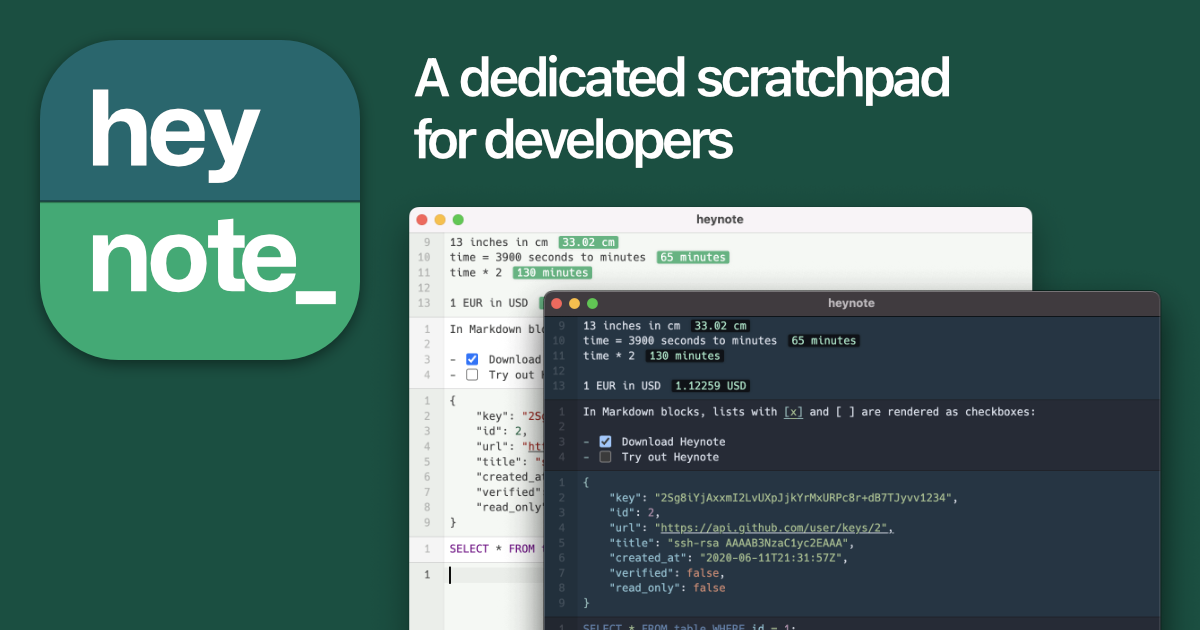
I made Heynote entirely for my own use case. For many years, I always had an Emacs instance running with the scratch buffer open, even long after I had abandoned Emacs as my programming editor in favor of more recent IDE:s.
The simplicity of having just one big scratch buffer appeals to me, but I still want to separate the different things I jot down somehow (without using tabs or similar). Previously, my solution was to insert a bunch of blank lines between the notes, but hitting C-A would still select the entire buffer. That's why I came up with the concept of "blocks", which turned out really well for my use cases.
I decided to release Heynote, thinking it might be useful to others.
Comments (303) 149 threads
Earlier commentslove seeing stuff like this on HN like the good old days.
Any plans to add vi keybindings support by any chance?
now I wonder if I can get or write a vim plugin to do something similar... that would also have the advantage of being in a terminal so it can live in a persistent tmux session and be accessible remotely...
Heynote Github Repo: https://github.com/heyman/heynote
A few bits of feedback for potential improvements or clarifications...
- I couldn't find the shortcut to change the language until I hovered over the status bar element for it. It should have a menu item with the keyboard shortcut on it.
- Toggling light/dark mode doesn't live in the status bar in any other app I know, probably best to put it in settings.
- Doesn't respect the system light/dark mode, it should by default (but perhaps with an app specific override as some people like that).
- Check for update doesn't live in the status bar either in any other app I've used, this could be in settings.
- If there's not enough stuff to put in a status bar, maybe drop the status bar? It feels like things have been scraped together to justify having it.
- The green branding is ok, but it's quite a strong personality for an app to have. Do you want the app to have a strong personality? (Nothing else about it suggests so). Perhaps consider a more neutral palette that fits in with macOS more, or perhaps several choices for accent colour including a neutral option.
- 427MB is huge. Thankfully it's not particularly memory hungry at least with small documents, but damn that's a big bundle for what it is. Why is it bundling ffmpeg? Does it really need GLES? Is a base Electron framework really >300MB?
- Options for a keymap, but after deleting the initial content I've lost the actual keymap! Would be great to have a help reference in the app, or at least a docs page on the website that the help menu links to.
- Would be great to be able to change the font.
- I don't understand the saving model. Where is the data saved? Can I control this? Is saving necessary? If not, how often is the data persisted? Can I put it in cloud storage so it syncs across machines, or if it does this already, can I opt-out of that?
- Not personally a fan of putting the name of the app in the icon. Most apps don't, I'd suggest something more subtle.
Noted. Will fix!
> Doesn't respect the system light/dark mode, it should by default (but perhaps with an app specific override as some people like that)
The light/dark toggle has three states. Light/Dark/Whatever the system is set to (default). If it's set to the third mode, it should respect the system mode. Otherwise it's a bug!
> The green branding is ok, but it's quite a strong personality for an app to have. Do you want the app to have a strong personality?
I do like the design (though I'm sure it could be improved ofcourse).
> - 427MB is huge
Yes, unfortunately that comes with Electron.
> Would be great to have a help reference in the app, or at least a docs page on the website that the help menu links to.
Yeah, goo point, will fix!
> Would be great to be able to change the font.
Maybe :)
> Where is the data saved?
The whole buffer is stored in a file called buffer.txt located in the user data directory (varies depending on platform, on Mac it's ~/Library/Application Support/Heynote, on Linux ~/.config/Heynote). It's saved as soon as you edit with a small debounce.
The data location is currently not configurable, and Heynote currently doesn't support reloading changes from the disk (except on startup), so at the moment it wouldn't work well to synchronize through a file syncing service if you were running Heynote on multiple machines. This is something I'd like to fix though.
Ah ha! That's it. I must have toggled this to forced-light inadvertently when testing. I think it could be clearer.
Thanks for the explanation of the persistence. This sounds absolutely fine for where the app is at right now, but would be great to explain it (in less detail perhaps?) somewhere. In the future, being able to set a custom path for it might be a quick way to enable hacky syncing. I realise symlinks could probably achieve this, but I think that's less discoverable.
Thanks for the reply and best of luck with the app!
With a similar mindset and an Emacs background, I wanted a scratch-like experience on iOS, so I built one https://xenodium.com/scratch-a-minimal-scratch-area. Seems to work for others too https://irreal.org/blog/?p=11202
While there's a new built-in iOS journaling app, I'm building one to save to plain text (and no lock-in). https://xenodium.com/an-ios-journaling-app-powered-by-org-pl...
I know this is expanding the scope and complexity and probably opposite to what you're trying to do, but one thing that would be cool is to have different tabs. In my current workflow, I have a notepad for "working memory" which Heynote will easily replace. I also have a separate one to track the things I worked on each day. I need to have a record of who I charged for what incase I get audited. I could totally see having a block for each day - and I wouldn't want that intermingled with the other data.
Oh I would love it if you could render markdown as formatted html a la Typora
Maybe a block 'tagging' mechanism? Let me 'stash' a block and label it with tags... then later on I can 'restore' stashed blocks by searching for tags. Or open a new window easily containing every block that shares a particular tag?
I haven't used heynote yet (in a train rn), so you may've that already in place, but:
I suggest implementing bookmarks with fuzzy search. Press ctrl+b a prompt comes up, type the thing, press enter and get your file scrolled to that section (markdown title)
Seems to me that this would be a pretty good general document format for a lot of use cases.
Then each tab would be an opportunity to apply a new set of filter on top of the same document.
All comments shown.
Couldn't load more comments. Check your connection and try again.