Fun little project! I worked on a 7 color eInk Arduino-based picture frame two years ago for a gift. My biggest issue was that I had to manually crop, dither, and color index the images to get them to look _okay_ on the display. If FrameOS could handle all of that for me then it would have saved hours of manual editing and testing.
I ended up getting that same person an Aura frame this year because remotely adding photos ended up miserable
I definitely do not want anyone to manually crop, dither and color index images. This should be done by the FrameOS software. It's already working if you use e.g. Inky Impression 7 color frames, but mostly because I just defer to their software/drivers, which already handle this...
Our crude (actually Pillow’s IIRC) dither has a certain nostalgic appeal to it, but can definitely be bested by other algorithms. I’m still not totally convinced we have a great perceptual match for the colours either. The approach to get them - take a photo of the screen, use a colour dropper and a bit of eye balling - was crude.
(Hi, I wrote most of the Inky driver and your project is the kind of awesome I wish the Pico/RP2040-based Inky Frame devices could pull off.)
I always say "if it's stupid and it works, it's not stupid". Your approach to get the dithering right sounds brilliant to me :D. The current inky driver works great, and that fact that it's in Python is what made me develop the original FrameOS software in Python. However now that I rewrote it in Nim, the Python driver is a bit of a crutch. While I could use the C drivers for the Waveshare displays, I'm forced to install a python wrapper on the Pi as a workaround to get the Inky drivers working. Do you have any idea if there are any C, or even Nim drivers available for the Inky Impression boards? The Python workaround works, but isn't really elegant. If not, I'm considering porting them myself at some point... I'm also lurking on the Pimoroni discord, and was meaning to ask there about it as well.
This would go a long way in Medical Kiosks, Digital Art and Signage.
The digital art thing is big in hospitals (Source: I was the technology designer for SFGH, UCSF, and the technology implementation manager for El Camino Hospital - and director of OPs for Vizio (TV)) Ive evaluated, purchased and installed systems such as this, and wayfinding in hospitals - paying hundreds of thousands for digital artwork to be looped in elevator lobbies, room screens etc - they, like you said - had rubbish software. For the lobbies in El Camino Hospital, I had to replace some units with Mac Mini's playing an MP$ on loop via VLC because the digital signage system was so crappy. So, having this with a piZero would be great. However - wayfinding would also be elegant with this - so long as when you say "interactive" surely it could display a webapp/app via the PI, and "screen-saver" to your digital art loop when idle... But - seriously, the digital art/signage/wayfinding market needs a fiesty upstart like you to ruffle their muffins - I dont have any PIs currently else, I'd be using this.... I wonder if I could install it on my shitty android TCL tablet from T-Mobile...? (Also look at controlling Feit Electric bulbs) EDIT: I think the most lucrative option for a device/OS like this would be travel signage at BART, any 'regional transit' -- find the dumbest person at that organization and train them to install and configure and display something in a fool-proof manner... Look at Sacramento (california) regional transit - they have so many screens with zero usable information... Have you been in a train in APAC? THey have LCD screens with status maps on the upper walls... Have you been in a train in the US? THey have pee and poo on the upper walls, and zero map status anyplace.
> Have you been in a train in APAC? THey have LCD screens with status maps on the upper walls... Have you been in a train in the US? THey have pee and poo on the upper walls, and zero map status anyplace.
It sounds like installing screens on US trains would just end up with pee and poo on the screens...
What is your opinion on brighysigns? While the default software is kinda crap the programability of them has been great for us. But we aren’t very far in.
I believe the OP here is not playing 1999s music formats on a TV, but referring to MK4 and similar _video_ formats that a portable music player definitely can't play.
This makes me miss the Chumby, which had such untapped potential and was given up on so quickly. I have many uses for a smart, controllable and low-code screen in my house, and barely the time to figure it out myself. Very glad this project came across my page today!
Your comment made me worried that I am doing something wrong. Maybe I can clarify something? There are two privacy policies, one applies to users of the website only, while the other one applies to users of the product. Which is the one that you are referring to?
> I have many uses for a smart, controllable and low-code screen in my house, and barely the time to figure it out myself.
I also don’t have time to figure it out, so I’m probably just going to buy a used iPad and put it on the wall. I’ll get a nice bright screen and anything I want to see just needs to be viewable in a web browser.
I used to have an iPad (3rd gen) on the wall, then it died. I bought the cheapest new one to replace it, but the old Android tablet I had around had better bluetooth reach, so it went on the wall instead.
Old android tablets are notoriously unpatched against all kinds of things. It's easy to be paranoid that some passing foot traffic will infect it with a bluetooth worm, and you'll be none the wiser. I'm accepting the risk for now, as I do enjoy configuring Home Assistant on it, and looking at the rainmap, but there are times when when a full tablet is overkill. FrameOS is for those cases.
Very cool ! I built a series of scripts to exchange e-ink images through Gmail last year which I baptized DispatchPi (https://github.com/malcolmosh/dispatchPi/blob/main/README.md) and a program like this would definitely have accelerated development. It was a bit fussy to always have to use a terminal to SSH into the Pi, then update the scripts through FileZilla (ftp client) + Vscode.
I've just completed a dashboard project which I'm about to release and I was also thinking of switching my frame drivers to ESP32 to run them on batteries, since they consume far less energy than even a Pi Zero. So +1 for ESP32 compatibility if time allows!
What hardware are you using? I recently finished a project myself and I'd like to do more with e-ink but the hardware "driver" that plugs into the pi costs as much as the e-ink display.
Yes, it can get pricey. I'm using a Raspberry Pi Zero W with a Waveshare 7.5 e-ink panel, which came with its own raspberry Pi driver. I also added a PiSugar2 battery. Waveshare seemed to be the most affordable option out there.
I find the costs to be reasonable, but I just bought a Waveshare e-ink ESP32 controller to try boosting battery life, since I don't need a fully fledged OS. All I'm doing on the frame is pulling an image from an URL or displaying a local image if the connection fails.
This sounds like it could port well to an RP2040-based display. Though I am forever battling against its very constrained RAM for network stuff (not helped by MicroPython needing a chunk for buffers, an GC bitmap for mark/sweep and some other network mystery meat). That said our (Pimoroni) larger Pico W-based Inky has an 8Mbit PSRAM to act as a back buffer for the display. It’s “slow” but when updates take 30s+ anyway that’s kind of redundant. Very little of that 8Mbit is actually used, so with a little tinkering it might be able to cache multiple images for sequential display without having to faff about with SD cards.
Currently I transmute some images (XKCD and NASA APOD) via a scheduled GitHub action into something fit for the various display sizes. An even more extreme approach would be to convert into the packed (4bpp for 7-colour E-ink) framebuffer format server-side. Less network efficient, but more predictable memory usage. We’ve had JPEG support for a while, but I brought up a PNG decoder (Larry Bank’s PNGdec) recently(ish) and it’s a much better fit than JPEG for palette-based images. It uses a 32K sliding window, however, which can get spicy if you’re not careful.
How deep are you in the ESP32 dev? I've found image rendering (the display is LCD, not eInk) to be less straightforward than anticipated.
In my case, massaging images into a specific size and format prior to sending them into the ESP32/Display is easier and more reliable than trying to have the ESP libraries display any arbitrary image.
I haven’t actually started coding yet with the ESP chip. In my case the aim is to pick up a preformatted image from an URL, avoiding all of the finicky formatting you describe. I like the idea of the screen controller as a single function machine just for display, with the backend being a simple GitHub repo connected to Cloud Run via CI/CD.
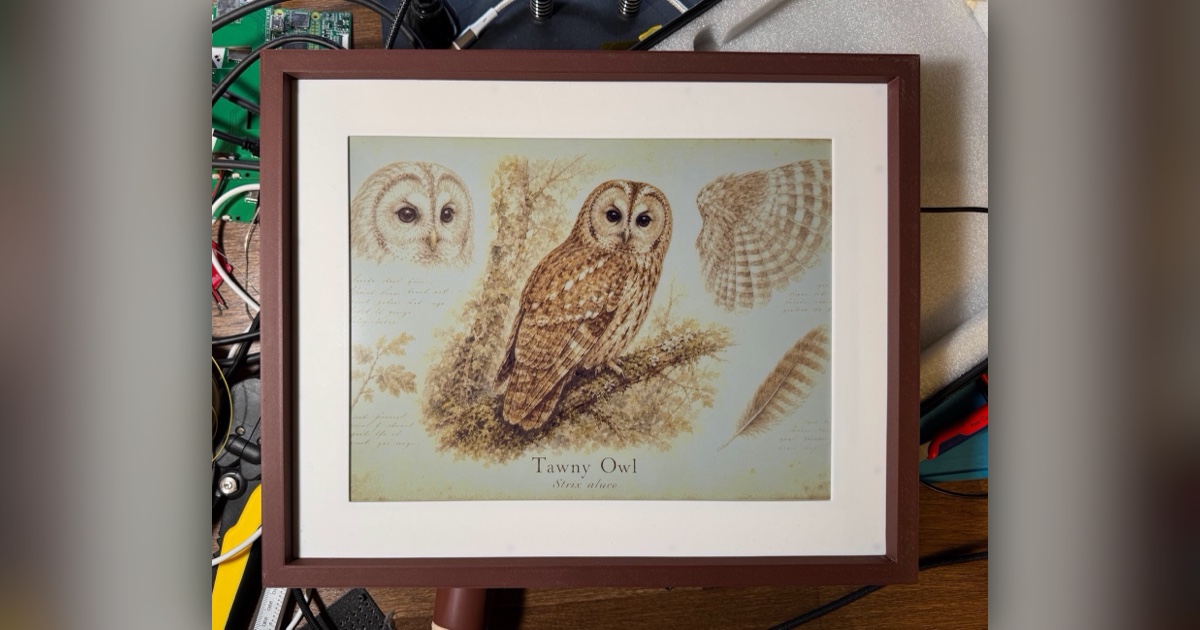
Comments (112) 26 threads
I ended up getting that same person an Aura frame this year because remotely adding photos ended up miserable
(Hi, I wrote most of the Inky driver and your project is the kind of awesome I wish the Pico/RP2040-based Inky Frame devices could pull off.)
I always say "if it's stupid and it works, it's not stupid". Your approach to get the dithering right sounds brilliant to me :D.
The current inky driver works great, and that fact that it's in Python is what made me develop the original FrameOS software in Python. However now that I rewrote it in Nim, the Python driver is a bit of a crutch. While I could use the C drivers for the Waveshare displays, I'm forced to install a python wrapper on the Pi as a workaround to get the Inky drivers working.
Do you have any idea if there are any C, or even Nim drivers available for the Inky Impression boards? The Python workaround works, but isn't really elegant. If not, I'm considering porting them myself at some point...
I'm also lurking on the Pimoroni discord, and was meaning to ask there about it as well.
Continue this thread — 2 replies
The digital art thing is big in hospitals (Source: I was the technology designer for SFGH, UCSF, and the technology implementation manager for El Camino Hospital - and director of OPs for Vizio (TV))
Ive evaluated, purchased and installed systems such as this, and wayfinding in hospitals - paying hundreds of thousands for digital artwork to be looped in elevator lobbies, room screens etc - they, like you said - had rubbish software.
For the lobbies in El Camino Hospital, I had to replace some units with Mac Mini's playing an MP$ on loop via VLC because the digital signage system was so crappy.
So, having this with a piZero would be great.
However - wayfinding would also be elegant with this - so long as when you say "interactive" surely it could display a webapp/app via the PI, and "screen-saver" to your digital art loop when idle...
But - seriously, the digital art/signage/wayfinding market needs a fiesty upstart like you to ruffle their muffins - I dont have any PIs currently else, I'd be using this....
I wonder if I could install it on my shitty android TCL tablet from T-Mobile...?
(Also look at controlling Feit Electric bulbs)
EDIT:
I think the most lucrative option for a device/OS like this would be travel signage at BART, any 'regional transit' -- find the dumbest person at that organization and train them to install and configure and display something in a fool-proof manner...
Look at Sacramento (california) regional transit - they have so many screens with zero usable information...
Have you been in a train in APAC? THey have LCD screens with status maps on the upper walls...
Have you been in a train in the US? THey have pee and poo on the upper walls, and zero map status anyplace.
It sounds like installing screens on US trains would just end up with pee and poo on the screens...
It's crazy how much money is wasted in the US, where other people are begging for food on the streets.
Continue this thread — 1 reply
https://shop.invisible-computers.com
Your comment made me worried that I am doing something wrong. Maybe I can clarify something?
There are two privacy policies, one applies to users of the website only, while the other one applies to users of the product. Which is the one that you are referring to?
Continue this thread — 6 replies
The display is 7.5 inches.
I’ll update the description to make this more prominent.
Continue this thread — 2 replies
I also don’t have time to figure it out, so I’m probably just going to buy a used iPad and put it on the wall. I’ll get a nice bright screen and anything I want to see just needs to be viewable in a web browser.
Old android tablets are notoriously unpatched against all kinds of things. It's easy to be paranoid that some passing foot traffic will infect it with a bluetooth worm, and you'll be none the wiser.
I'm accepting the risk for now, as I do enjoy configuring Home Assistant on it, and looking at the rainmap, but there are times when when a full tablet is overkill. FrameOS is for those cases.
I've just completed a dashboard project which I'm about to release and I was also thinking of switching my frame drivers to ESP32 to run them on batteries, since they consume far less energy than even a Pi Zero. So +1 for ESP32 compatibility if time allows!
I find the costs to be reasonable, but I just bought a Waveshare e-ink ESP32 controller to try boosting battery life, since I don't need a fully fledged OS. All I'm doing on the frame is pulling an image from an URL or displaying a local image if the connection fails.
Currently I transmute some images (XKCD and NASA APOD) via a scheduled GitHub action into something fit for the various display sizes. An even more extreme approach would be to convert into the packed (4bpp for 7-colour E-ink) framebuffer format server-side. Less network efficient, but more predictable memory usage.
We’ve had JPEG support for a while, but I brought up a PNG decoder (Larry Bank’s PNGdec) recently(ish) and it’s a much better fit than JPEG for palette-based images. It uses a 32K sliding window, however, which can get spicy if you’re not careful.
Continue this thread — 1 reply
In my case, massaging images into a specific size and format prior to sending them into the ESP32/Display is easier and more reliable than trying to have the ESP libraries display any arbitrary image.
All comments shown.
Couldn't load more comments. Check your connection and try again.