Show HN: Bayleaf – Building a low-profile wireless split keyboard (opens in a new tab)graz.io
735 pointsHey HN,
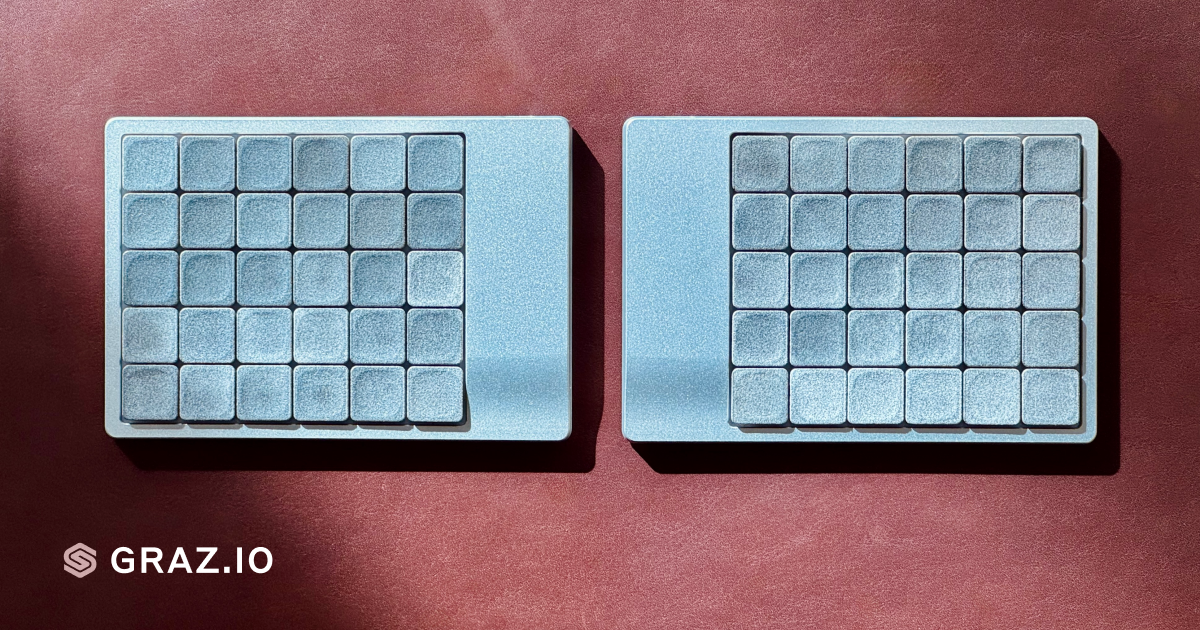
I built a wireless, split, ultra-low profile keyboard from scratch called Bayleaf. As a beginner I learned all things electronics, PCB-building, designing for manufacturing, and many other hardware-related skills to put this together.
This case study dives into the build process and of course the final result, hope you enjoy!
Comments (247) 85 threads
Earlier commentsKeyboards are such a good hobby project. The scope is comparatively small, yet within that scope you get in contact with many different and highly interesting subjects and challenges. And you can more or less pick and choose, which ones you engage with (wireless vs wired, soldering vs hand-wired, custom firmware vs. ZMK/QMK, split vs. traditional).
Did you consider Mill-Max Sockets?
having this layout. Unfortunately, the integrated Gateron brown/red/... low profile switches are not my thing - my favorite ones would be Lofree Kailh Ghost, but these don't fit the keyboard, although it is hot swappable because low profile switches are non standard (at least 2 different layouts I know of).My personal favorite are 80% TKL ISO low profile keyboards, which is quite uncommon and I've not found much except the
So I also thought about a custom solution. I found pretty impressive open source firmware and pcbs [1], but I noticed that I just didn't have the time to do all this. Since keyboards are so an individual device, manufacturing bigger batches is risky and manufacturing smaller batches is expensive... so pretty much no choice than waiting for someone having the same dream as I have or do it myself after shoving free enough time.
1: https://github.com/4pplet/waffling80/issues/1
Take your time, the GAS is real and expensive !
All jokes aside, ordering small batches of PCBs is unfortunately very expensive, especially if you have a larger size.
If you ever feel the itch of going towards ergonomic split keyboards, you'll find plenty of ~40% splits that use reversible PCBs for both halves which allows for cheap batches. Typically you get 5 PCBs with JLC and that gives you enough to build one full keyboard for work and one for home.
Unlikely. I caught my [nearly perfect] unicorn, but I'm not telling you what it is, because a.) it is too embarrassing and b.) don't wanna ruin your chase :-)
Probably I'm going to work on the hot-swappable thing via Mill-Max 7305 or 3305 (already ordered a pack), but the soldering will really take time, even if I use soldering paste and I have to order a second one for experimens.There are some hints I can tell you though:
For other split-mechanical keyboards check out:
ZSA Voyager
Moergo Glove 80
Edit: nevermind, I just learned that the advantage360 pro uses ZMK as well. Either way, they both seem like great options for people who prioritize the ergonomics over aesthetics :)
For keyboards really similar to OP's
The keyboard they were inspired by (not for sale... yet?): https://old.reddit.com/r/ErgoMechKeyboards/comments/1cfg3vr/...
Corneish (out of stock): https://lowprokb.ca/products/corne-ish-zen?variant=376943319... Unicorne: https://new.boardsource.xyz/products/unicorne-LP
The corneish is an absolute gem in my opinion. It is possibly (probably?) open-sourced too.
https://imgur.com/pklEZSh
Ambients Silent Choc Switches (20g Linear), keycaps from worklouder (Pure)
Me, too. I feel there's a lot of us who want precisely this. I want every key that's on the Magic Keyboard. I already have a number of other Karabiner bindings, like the Hyper key, so I'm adding "layers" that way.
All comments shown.
Couldn't load more comments. Check your connection and try again.