Show HN: Bayleaf – Building a low-profile wireless split keyboard (opens in a new tab)graz.io
735 pointsHey HN,
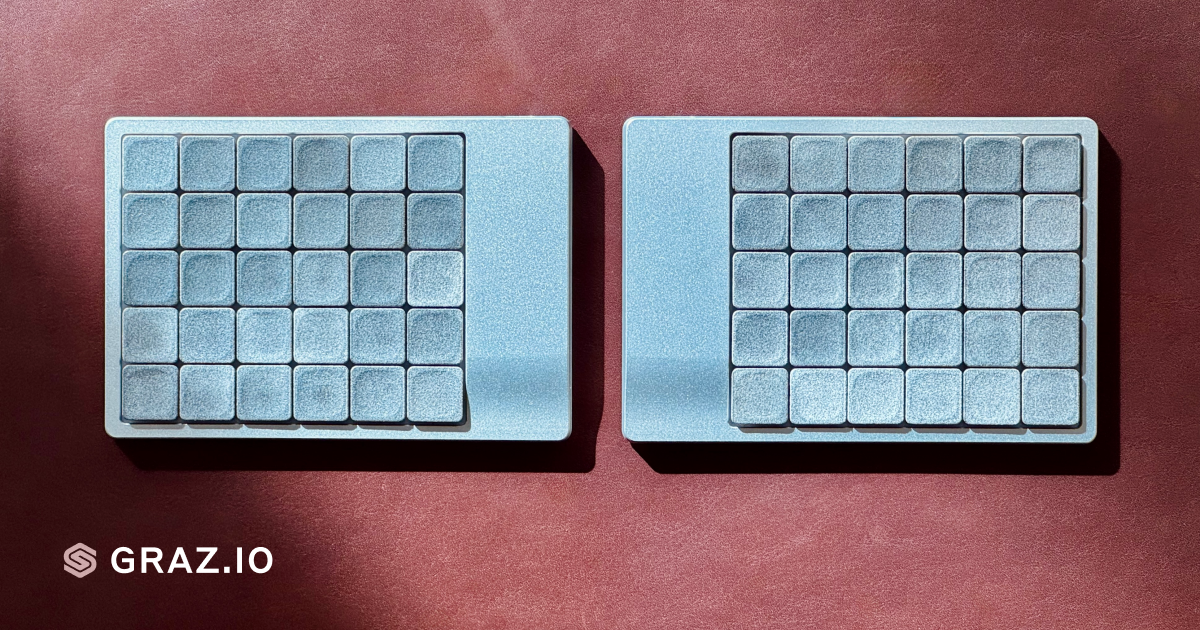
I built a wireless, split, ultra-low profile keyboard from scratch called Bayleaf. As a beginner I learned all things electronics, PCB-building, designing for manufacturing, and many other hardware-related skills to put this together.
This case study dives into the build process and of course the final result, hope you enjoy!
Comments (247) 85 threads
Earlier commentsQuestions: - Do you have nkey rollover? - Would you accept "optional" wires? Note: gaming requires fast response times. Hell even programming/writing sucks when there's key lag.
ZMK supports N-key rollover and layers.
With 60% keyboards, you are often using modifier layers baked into the keyboards' firmware to get back your function keys and your control block like page up
In the nav layer. One popular layout of split keyboards is two 3x5 grids of keys with 3 thumb buttons. With this configuration, it is common to map modifier keys to the home row keys, activated when they are held down. Likewise, for numbers, symbols, navigation, a thumb key is held down to activate that layer. Your fingers never have to stretch more than one key-length away.
Miryoku is a popular implmentation of this. It looks crazy, but you can get used to it really quickly, or alter it to your own taste.
https://github.com/manna-harbour/miryoku
If that's not appealing to you, there's probably no reason to get into it. If it is appealing to you to live mostly on your homerow, then the learning curve is not all that great, maybe a couple of months.
For something so thin, your soldering woes aren't surprising. The standard way to manage that would have been to solder everything in one go on a hot plate (reflow soldering).
https://www.youtube.com/watch?v=QarizoUnRfk
one of the most satisfying things to watch
I think this method is also highly specific to these switches. They are known for being difficult to solder with hobby-tier equipment.
Totally have been here done that. While my aesthetics are a bit different than yours, the core idea is very similar. I just imagined if Nuphy and Planck would have a twin and come up with this. I was on a budget so I basically said fuck it to the thickness and just kept the size small. Everything was FDM and I even had a 3d printable pcb-not-so-pcb if you can’t wait at all. This runs zmk for full wireless experience, uses an nrf controller and have a battery life of over a month. I even had custom keycap with stickers on it so I can lookup rarely used keys.
PS. The only cons or why I am not running this for everything is that you kind of need 2 hand to do certain things like pause the music or adjusting volume.
Photo: https://drive.google.com/file/d/1ZwvTO3jMyY0JBKoYrA88sJk-7SX...
[1] https://gifer.com/es/BFCV
They're worth it though!
In hindsight, the biggest issue I ran into switching keyboards was that I was too ambitious playing around with the key configuration. The configurability is a big draw but I took for granted that I had already built up years of natural tendency for certain things - which thumb I use for space, preferences for Ctrl/Alt/Command/Option, for Shift, etc.
The default for these keyboards probably don't 100% align with what you're used to, so you should directly map what you're doing currently over to the keymap of the keyboard and then you can fiddle with making it yours over time.
I will say that if you're not already a touch typer, then a split keyboard is not going to help and it will be more difficult to get used to.
edit: also, if anything, going columnar helped me actually consistently hit number keys!
In my case, going from a regular keyboard to a split one like he Raise[1] took me 10 minutes of adaption time. My second split one was (is) a columnar (the Defy[2]), and I must confess that the adaption time was something like three days. Mostly because I kept failing to correctly push a few keys (like the C). Now I can indistinctly work with a columnar or a stagged one with zero problem. In fact, I usually use both types many days.
That said, I thought that the change would make me feel more comfortable, but to be honest in my case the difference is not big at all.
[1] https://dygma.com/pages/dygma-raise-2
[2] https://dygma.com/pages/defy
Now I'm about a year and a half later and am up to 140wpm. I think the biggest problem for me on the standard keyboard is the bottom row index fingers and pinkies, the "natural" motion of my fingers lands right in between the two keys on those fingers so I used to make a lot of mistakes there, especially when typing fast.
All comments shown.
Couldn't load more comments. Check your connection and try again.